

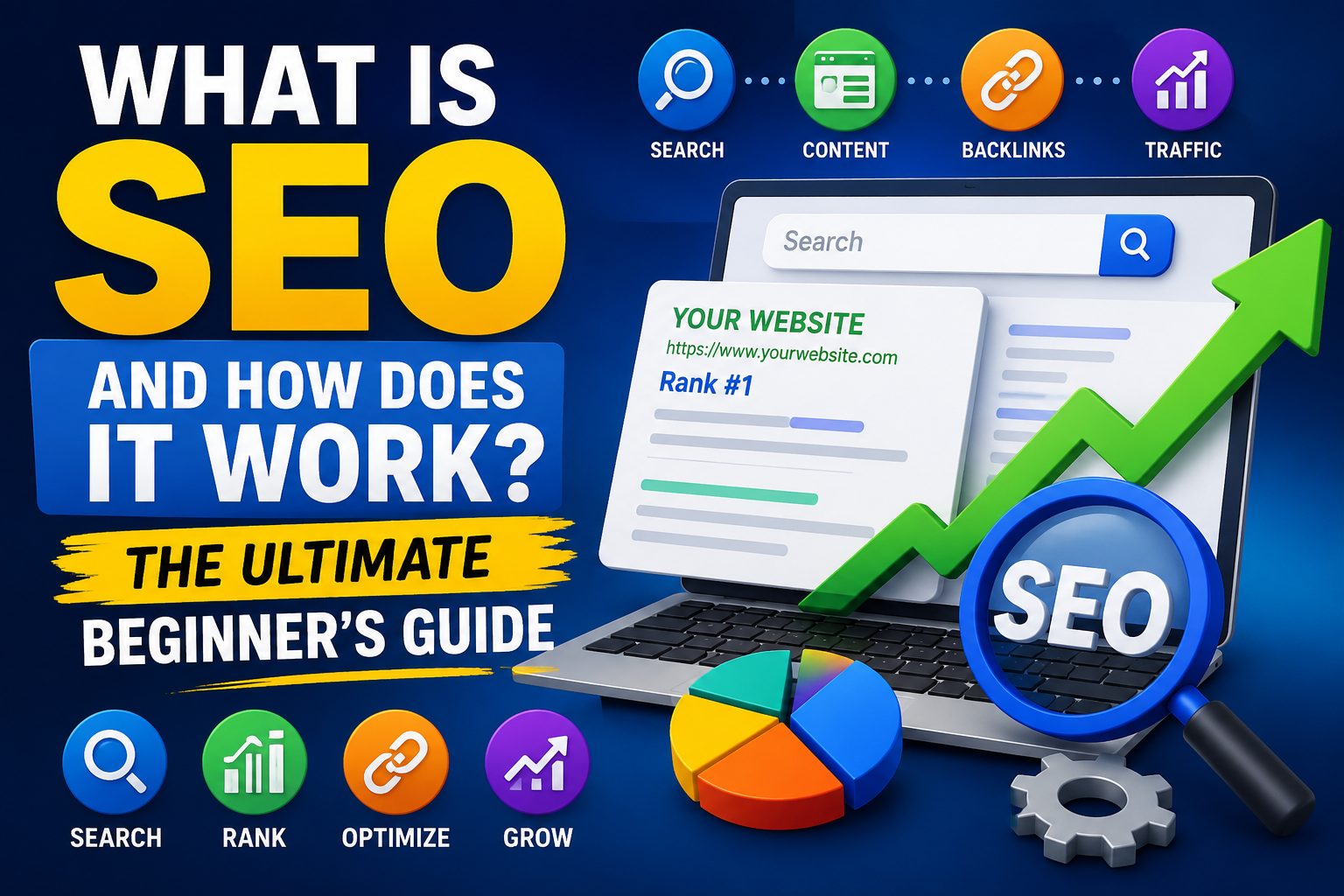
If you have a website, blog, online store, portfolio, business website, or YouTube-related website, you have probably heard the term SEO.
But what exactly is SEO?
Why is SEO important?
How does Google decide which websites should appear at the top of search results?
And most importantly, how can a beginner use SEO to get more visitors without spending money on advertising?
SEO, or Search Engine Optimization, is one of the most important digital marketing skills for website owners, bloggers, entrepreneurs, affiliate marketers, and content creators.
In simple terms, SEO is the process of improving your website and content so that search engines can understand it and users can discover it when they search for relevant information.
Google describes SEO as helping search engines understand your content and helping users find your site through search. Google also makes clear that there are no secret tricks that automatically guarantee a first-place ranking.
That means successful SEO isn’t about finding a magical ranking button.
It’s about creating useful content, building a technically accessible website, understanding what your audience searches for, and making it easy for both people and search engines to understand your pages.
This complete beginner’s guide explains everything you need to know about SEO—from the basic definition to keyword research, on-page SEO, off-page SEO, technical SEO, backlinks, local SEO, mobile optimization, SEO tools, common mistakes, and a practical SEO strategy.
Let’s begin.
What Is SEO?
SEO stands for Search Engine Optimization.
SEO is the practice of improving a website and its content to make it easier for search engines to crawl, understand, index, and potentially rank in search results while also improving the experience for visitors.
For example, imagine you have a blog post called:
“How to Start a Blog in 2026”
Someone searches Google for:
how to start a blog
Thousands or millions of pages could potentially be relevant.
SEO helps you make your page more understandable, useful, accessible, and competitive for that search.
SEO can involve:
- Keyword research
- Search intent analysis
- Content creation
- Title optimization
- Meta descriptions
- Headings
- Internal linking
- Image optimization
- URL optimization
- Technical SEO
- Website speed
- Mobile usability
- Backlinks
- Digital PR
- Local SEO
- Structured data
- Content updating
- Search performance analysis
However, SEO should not be viewed as simply adding keywords to pages.
Modern SEO is much broader.
Google’s Search Essentials emphasizes creating helpful, reliable, people-first content, using language people search for, and placing relevant terms in prominent and descriptive areas of a page.
SEO Meaning in Simple Words
If you’re completely new to SEO, here’s the easiest definition:
SEO is the process of making your website easier for search engines to understand and easier for people to discover through search.
Think of Google as a giant library.
Your website is a book.
Your individual webpages are chapters.
Google needs to understand:
- What your website is about
- What each page discusses
- Who the content is intended for
- Whether the content is useful
- Whether the page can be crawled and indexed
- Which pages are relevant to specific searches
- Whether the website provides a good experience
SEO helps provide those signals.
Why Is SEO Important?
SEO is important because search engines are one of the major ways people discover information, products, services, businesses, and websites.
Suppose you own an online shoe store.
Someone searches:
“best running shoes for beginners”
If your website appears prominently for that search, you have an opportunity to attract that visitor.
If your competitor appears instead, the visitor may never know your business exists.
This is why search visibility matters.
SEO can help you:
1. Increase Organic Traffic
Organic traffic refers to visitors who arrive through unpaid search results.
Unlike paid advertising, you don’t pay Google for every organic click.
2. Increase Brand Visibility
Ranking for relevant searches repeatedly can help people become familiar with your brand.
3. Generate Leads
Businesses can use SEO to attract people searching for their products or services.
4. Increase Sales
Ecommerce websites can target searches made by potential buyers.
5. Grow an Affiliate Website
Affiliate marketers can create content targeting product comparisons, reviews, tutorials, and buying guides.
6. Build Authority
Consistently publishing valuable content can establish your website as a useful resource within a specific topic.
7. Create Long-Term Traffic Opportunities
A useful page can potentially attract search traffic for months or years, although rankings and traffic are never guaranteed.
How Does SEO Work?
To understand SEO, you need to understand the basic search process.
Search engines generally perform three major activities:
- Crawling
- Indexing
- Serving or ranking results
Let’s understand each one.
1. Crawling
Search engines use automated programs commonly called crawlers or bots to discover publicly accessible webpages.
Google’s crawler is commonly known as Googlebot.
Crawlers can discover pages through:
- Links
- Sitemaps
- Previously known URLs
- Other discoverable references
For example:
Your homepage links to:
example.com/seo-guide
Google discovers that link and may crawl the page.
If your website has poor internal linking, important pages may be harder for search engines and users to discover.
2. Indexing
After crawling a page, Google attempts to understand and process its content.
If the page meets Google’s technical and policy requirements, it may become eligible for inclusion in Google’s index.
The index can be thought of as a massive database of webpages and other information that Google has discovered.
However, being crawled doesn’t automatically guarantee indexing, and being indexed doesn’t guarantee high rankings. Google explicitly notes that meeting requirements does not guarantee that a page will be crawled, indexed, or served in Search.
3. Ranking and Search Results
When someone searches for something, search engines determine which results are most relevant and useful for that query.
Google uses many systems and signals to determine what appears in its search results.
The exact ranking systems are complex and continually evolve.
That’s why SEO isn’t about discovering one permanent ranking factor.
Instead, focus on fundamentals such as:
- Helpful content
- Search intent
- Relevant information
- Crawlability
- Good page experience
- Clear structure
- Useful internal links
- Appropriate technical implementation
- Trust and reputation
- Original value
Crawling vs Indexing vs Ranking
Beginners often confuse these three concepts.
Here’s a simple way to remember them:
| Term | Meaning |
|---|---|
| Crawling | Search engine discovers and accesses a page |
| Indexing | Search engine processes and may store the page |
| Ranking | Search engine determines where a relevant result appears |
For example:
Your new article may be:
Crawled → Indexed → Ranked
But ranking may happen at different positions depending on the query and competition.
And a page can be crawled without necessarily being indexed.
What Are the Main Types of SEO?
SEO is often divided into several major areas.
The most important are:
- On-Page SEO
- Off-Page SEO
- Technical SEO
- Local SEO
- Ecommerce SEO
- Content SEO
- Image SEO
- International SEO
Let’s examine each.
1. On-Page SEO
On-page SEO refers to optimization activities performed on your webpage itself.
Examples include:
- Page titles
- Headings
- Content
- Keywords
- Search intent
- Internal links
- Images
- URLs
- Meta descriptions
- Structured content
- Content organization
The goal isn’t to stuff keywords everywhere.
The goal is to clearly communicate the topic and satisfy the visitor.
2. Off-Page SEO
Off-page SEO refers to activities that happen outside your own website that can contribute to your site’s reputation, visibility, and discoverability.
One major component is backlinks.
A backlink is a link from another website to your website.
For example:
Website A publishes an article and links to your website.
That link is a backlink to your website.
But SEO isn’t simply about collecting thousands of backlinks.
A natural link from a relevant and reputable website can be more meaningful than hundreds of irrelevant or manipulative links.
Off-page activities can include:
- Digital PR
- Genuine link earning
- Brand mentions
- Industry relationships
- Useful resource creation
- Public relations
- Community participation
3. Technical SEO
Technical SEO focuses on the technical aspects that help search engines access, understand, and process your website.
Important areas include:
- Crawlability
- Indexability
- HTTPS
- Mobile usability
- Website architecture
- XML sitemaps
- Robots.txt
- Canonical URLs
- Redirects
- Structured data
- Page performance
- JavaScript SEO
- Duplicate URLs
- Broken links
Technical SEO can sound complicated, but many basics are manageable even for beginners.
4. Local SEO
Local SEO is especially important for businesses serving a particular geographic area.
Examples include:
- Restaurants
- Salons
- Doctors
- Dentists
- Hotels
- Repair shops
- Real estate businesses
- Local agencies
Local SEO can involve:
- Google Business Profile
- Local citations
- Reviews
- Local landing pages
- Location-specific content
- Consistent business information
- Local backlinks
The goal is to become more visible when people search for relevant local businesses or services.
5. Ecommerce SEO
Ecommerce SEO focuses on online stores.
Examples include optimization for:
- Product pages
- Category pages
- Product descriptions
- Product images
- Internal linking
- Filters
- Search-friendly URLs
- Structured data
- Shopping-related search experiences
A strong ecommerce SEO strategy should help users discover products and make informed purchase decisions.
6. Content SEO
Content is one of the most important parts of SEO.
Content SEO involves creating and improving:
- Blog posts
- Guides
- Tutorials
- Reviews
- Comparisons
- Case studies
- Videos
- Images
- FAQs
- Product content
The goal is not simply to publish more pages.
It’s to publish useful pages that genuinely satisfy search intent.
Google’s guidance for AI-powered search experiences similarly emphasizes unique, valuable content for people rather than content created merely to attract search traffic.
What Is Keyword Research?
Keyword research is the process of identifying words and phrases people use when searching for information, products, services, or solutions.
For example, suppose you want to write about blogging.
Possible keywords could include:
- What is blogging
- How to start a blog
- Best blogging platforms
- How to make money blogging
- Blogging tips for beginners
- SEO for bloggers
- How to write a blog post
Keyword research helps you understand what your potential audience wants.
Why Is Keyword Research Important?
Imagine writing a 5,000-word article that nobody searches for.
It could be beautifully written.
It could be grammatically perfect.
It could contain excellent information.
But if there is little search demand and no other traffic source, it may attract very few visitors.
Keyword research helps you identify opportunities.
However, don’t make the mistake of choosing keywords based only on search volume.
You should also consider:
- Search intent
- Relevance
- Competition
- Business value
- Your expertise
- Content quality
- Audience needs
Types of Keywords
Keywords can be categorized in several ways.
Short-Tail Keywords
These are usually broad phrases.
Examples:
- SEO
- Blogging
- WordPress
- Hosting
They can have high competition and broad intent.
Long-Tail Keywords
Long-tail keywords are more specific.
Examples:
- What is SEO for beginners
- How to optimize WordPress website for SEO
- Best SEO tools for small businesses
Long-tail searches can be valuable because they often provide more context about what the searcher wants.
Informational Keywords
These usually indicate that the person wants information.
Examples:
- What is SEO?
- How does SEO work?
- How to start a blog?
Commercial Investigation Keywords
The user is researching before making a decision.
Examples:
- Best SEO tools
- Hostinger vs Bluehost
- Best WordPress themes for SEO
Transactional Keywords
The user may be ready to take action.
Examples:
- Buy WordPress hosting
- SEO tool pricing
- Purchase SEO software
Navigational Keywords
The person is trying to find a specific website or brand.
Examples:
- Google Search Console
- YouTube
- WordPress login
What Is Search Intent?
Search intent is the reason behind a search query.
This is one of the most important concepts for modern SEO.
Consider the keyword:
“best WordPress hosting”
The searcher probably wants recommendations.
Now consider:
“what is WordPress hosting”
The searcher wants an explanation.
The two keywords are related, but the ideal content is different.
If you understand search intent, you can create content that better matches what users expect.
Four Common Search Intent Types
Informational
The user wants to learn.
Navigational
The user wants a specific website or page.
Commercial
The user is comparing options before buying.
Transactional
The user is ready to take an action.
Before writing an article, ask:
What does someone actually want when they search this keyword?
That question can dramatically improve your SEO strategy.
What Is On-Page SEO?
On-page SEO is the optimization of individual webpages.
Let’s examine the most important elements.
1. SEO Title
Your title is one of the first things users see in search results.
Google’s SEO Starter Guide recommends titles that are unique, clear, concise, and accurately describe the page.
For example:
Weak:
SEO
Better:
What Is SEO? Complete Beginner’s Guide
Even better:
What Is SEO? A Complete Beginner’s Guide to Search Engine Optimization
The title should accurately represent the page.
Don’t create misleading clickbait simply to increase clicks.
2. Meta Description
A meta description summarizes the page.
Example:
Learn what SEO is, how search engines work, and how to use keyword research, on-page SEO, technical SEO, and backlinks to grow organic traffic.
Google may use the meta description to generate the search snippet, but it can also use relevant text from the page itself.
A good meta description should:
- Describe the page accurately
- Be unique
- Explain the value
- Include relevant terminology naturally
- Encourage a qualified click
3. H1 Heading
The H1 generally serves as the primary heading of the page.
For example:
H1: What Is SEO? A Complete Beginner’s Guide
Your page can then use H2 and H3 headings to organize sections.
4. Heading Structure
A logical structure improves readability.
Example:
H1: What Is SEO?
H2: How Does SEO Work?
H2: Types of SEO
H3: On-Page SEO
H3: Off-Page SEO
H3: Technical SEO
This creates a clear hierarchy.
5. Keyword Placement
Your primary keyword can naturally appear in relevant areas such as:
- Title
- Main heading
- Introduction
- Subheadings where appropriate
- Body content
- URL when suitable
- Image alt text when genuinely descriptive
- Internal anchor text
But avoid keyword stuffing.
Google’s Search Essentials recommends using words people search for in prominent and descriptive locations, but this doesn’t mean repeating the exact phrase unnaturally.
What Is Keyword Stuffing?
Keyword stuffing means excessively inserting keywords into content in an attempt to manipulate rankings.
For example:
SEO is important because SEO helps SEO websites improve SEO rankings. If you want SEO, you need SEO because SEO is SEO.
This is terrible for readers.
Instead, write naturally.
Use related concepts and terminology where appropriate.
Content Quality
High-quality content should:
- Answer the question
- Be accurate
- Be useful
- Be easy to understand
- Provide original value
- Address the searcher’s needs
- Avoid unnecessary filler
- Be appropriately comprehensive
A 6,000-word article isn’t automatically better than a 1,000-word article.
If the topic can be answered properly in 1,500 words, don’t stretch it to 6,000 words simply to hit a word count.
Quality and usefulness matter more than length alone.
Internal Linking
Internal links connect pages on the same website.
For example:
Your SEO guide can link to:
- Keyword research guide
- On-page SEO guide
- Technical SEO guide
- Link-building guide
- SEO tools page
Internal links help visitors discover related content.
They can also help search engines understand relationships between pages.
A strong internal linking structure can create topic clusters.
External Links
External links point to other websites.
Don’t be afraid of linking to useful external resources.
For example, if you’re explaining Google Search Console, linking to Google’s official documentation can help readers access authoritative information.
External links should be relevant and useful.
Image SEO
Images can improve:
- User experience
- Visual explanations
- Engagement
- Discoverability through image search
Google recommends using high-quality images near relevant text and making images understandable to people and search engines.
Optimize images by:
- Using descriptive filenames
- Compressing images
- Choosing appropriate formats
- Adding descriptive alt text
- Avoiding unnecessarily huge files
- Placing images near relevant content
What Is Alt Text?
Alt text describes an image.
Example:
Poor:
image123.jpg
Alt text:
SEO dashboard showing organic traffic growth
Alt text should describe the image accurately.
Don’t use alt text simply as a place to stuff keywords.
What Is Technical SEO?
Technical SEO deals with the technical foundation of your website.
A website may have excellent content but still experience search visibility problems if search engines cannot properly access or process important pages.
Let’s examine key technical SEO elements.
1. Website Crawlability
Search engines need to access your important pages.
Check whether:
- Important pages are linked
- Robots.txt isn’t blocking essential resources
- Navigation works
- Pages aren’t unintentionally hidden
- Technical errors aren’t preventing crawling
2. XML Sitemap
An XML sitemap provides search engines with information about URLs you consider important.
For WordPress websites, SEO plugins can often generate sitemaps automatically.
However, simply having a sitemap doesn’t guarantee indexing.
Think of a sitemap as a useful discovery aid rather than a ranking shortcut.
3. Robots.txt
A robots.txt file can provide crawling instructions to search engine bots.
For example, websites may use it to manage crawling of certain areas.
But be careful.
Incorrect robots.txt rules can accidentally prevent crawlers from accessing important content.
4. HTTPS
HTTPS encrypts data between a website and visitor.
For modern websites, HTTPS should be standard.
It protects visitors and is an important baseline for website security.
5. Mobile SEO
A large percentage of web activity occurs on smartphones.
Your website should work well on:
- Smartphones
- Tablets
- Laptops
- Desktop computers
Make sure:
- Text is readable
- Buttons are easy to tap
- Navigation works
- Content doesn’t overflow
- Images fit the screen
- Forms are usable
6. Website Speed
Users don’t like slow websites.
A slow page can create a poor experience, particularly on mobile connections.
Improve performance by:
- Compressing images
- Using efficient formats
- Reducing unnecessary scripts
- Using caching
- Optimizing hosting
- Removing unnecessary plugins
- Using a CDN where appropriate
- Reducing page weight
But don’t optimize speed at the expense of usability.
7. Core Web Vitals
Core Web Vitals are a set of user-experience metrics focused on aspects such as:
- Loading performance
- Responsiveness
- Visual stability
Website owners can monitor these through tools such as Google Search Console and PageSpeed Insights.
The broader goal is simple:
Make your website fast, stable, and responsive.
8. Canonical URLs
Sometimes similar or duplicate content can exist at multiple URLs.
A canonical URL helps communicate which version should be treated as the preferred URL.
This can be particularly useful for:
- Ecommerce filters
- URL parameters
- Duplicate pages
- Similar versions of content
Canonicalization should be implemented carefully.
9. Redirects
Redirects tell browsers and crawlers that a URL has moved.
The most common permanent redirect is:
301 redirect
Redirects can be useful when:
- Changing URLs
- Moving pages
- Deleting duplicate content
- Migrating websites
- Updating site structures
Avoid unnecessary redirect chains.
What Is Off-Page SEO?
Off-page SEO focuses on activities beyond your website.
The most famous component is link building.
But off-page SEO is much broader than backlinks.
What Are Backlinks?
A backlink is a hyperlink from another website to your website.
For example:
Website A publishes:
Learn more about SEO at Example.com.
If “Example.com” links to your site, you receive a backlink.
Why Do Backlinks Matter?
Backlinks can help search engines discover pages and can contribute to a site’s reputation and authority.
However, not every backlink has the same value.
A link from a relevant, respected website may be more useful than a large number of unrelated low-quality links.
How to Earn Quality Backlinks
Instead of buying random backlinks, create assets people naturally want to reference.
Examples:
Original Research
Publish data or surveys.
Useful Statistics
Create an up-to-date collection of industry statistics.
Free Tools
Develop calculators, generators, checkers, or other genuinely useful tools.
Comprehensive Guides
Create definitive resources that answer important questions.
Infographics
Visualize complicated information.
Case Studies
Share real-world results and lessons.
Digital PR
Provide journalists and publications with useful insights, expert commentary, or original research.
What Is Link Spam?
Link spam involves manipulative practices designed to influence rankings through links.
Examples may include:
- Buying links intended to manipulate rankings
- Excessive link exchanges
- Automated link creation
- Spammy directories
- Irrelevant comment links
- Private blog networks used manipulatively
Google’s spam policies cover practices intended to manipulate Search and can result in lower rankings or pages being omitted from results.
What Is Content SEO?
Content SEO focuses on creating content that matches user needs and search intent.
A strong content strategy should answer:
- Who is my audience?
- What problems do they have?
- What are they searching for?
- What questions remain unanswered?
- What can I explain better than existing content?
- What unique experience or expertise can I provide?
Pillar Content and Topic Clusters
A useful SEO strategy is to build content around topics instead of isolated keywords.
Suppose your website focuses on SEO.
You could create a pillar page:
Complete SEO Guide
Then supporting articles:
- What Is Keyword Research?
- What Is On-Page SEO?
- What Is Technical SEO?
- How to Build Backlinks
- Best SEO Tools
- How to Optimize WordPress SEO
- Local SEO Guide
- SEO Audit Guide
Then connect these articles through internal links.
This creates a structured knowledge ecosystem.
What Is Local SEO?
Local SEO helps businesses appear in searches related to a specific geographic location.
For example:
- SEO agency in Mumbai
- Best restaurant in Pune
- Graphic designer in Delhi
- Web designer near me
A local business should pay attention to:
- Business Profile information
- Name, address, phone details
- Reviews
- Local content
- Location pages
- Local links
- Relevant business categories
Local SEO isn’t only about adding a city name repeatedly.
The entire online presence should accurately communicate where the business operates and what it offers.
What Is Mobile SEO?
Mobile SEO means optimizing your website for users accessing it on mobile devices.
Google has long emphasized mobile-friendly experiences, and modern websites should be designed with mobile users in mind.
Check:
- Font size
- Navigation
- Page speed
- Buttons
- Forms
- Images
- Popups
- Layout
- Content visibility
A website that looks excellent on desktop but is frustrating on mobile can lose visitors.
What Is SEO for WordPress?
WordPress is one of the world’s most popular website platforms.
SEO on WordPress involves:
- Choosing a suitable theme
- Creating useful content
- Optimizing titles
- Creating clean URLs
- Using internal links
- Optimizing images
- Improving performance
- Managing redirects
- Creating XML sitemaps
- Using appropriate SEO plugins
- Fixing technical issues
Popular SEO plugins can simplify many tasks, but installing a plugin doesn’t automatically make your website SEO-friendly.
Do SEO Plugins Improve Rankings?
SEO plugins can help you implement SEO elements.
For example, they may provide tools for:
- Titles
- Meta descriptions
- Sitemaps
- Schema
- Canonical URLs
- Redirects
- Social metadata
But a plugin cannot magically create:
- Great content
- Search intent alignment
- Original research
- Real expertise
- Strong reputation
- Genuine backlinks
Think of an SEO plugin as a toolbox—not an automatic ranking system.
What Are SEO Tools?
SEO tools help website owners research, monitor, and improve search performance.
Common categories include:
Keyword Research Tools
Help discover keywords and related topics.
Rank Tracking Tools
Monitor search rankings.
Website Audit Tools
Identify technical and SEO problems.
Backlink Tools
Analyze links pointing to websites.
Search Analytics Tools
Show search impressions, clicks, queries, and pages.
Competitor Research Tools
Help understand competitors’ content and search visibility.
Essential SEO Tools for Beginners
You don’t need dozens of expensive tools to begin.
Start with:
Google Search Console
Useful for monitoring search performance and indexing-related information.
The Performance report includes metrics such as clicks and impressions.
Google Analytics
Useful for understanding website traffic and user behavior.
Google Trends
Useful for exploring changing search interest and topic trends.
PageSpeed Insights
Useful for analyzing page performance and user-experience metrics.
Keyword Research Tools
Use them to identify relevant search terms and content opportunities.
What Is Google Search Console?
Google Search Console is a free service that helps website owners understand how their websites perform in Google Search.
You can use it to investigate:
- Search queries
- Clicks
- Impressions
- Click-through rate
- Average position
- Indexing
- Sitemap submission
- URL inspection
- Search appearance
- Technical issues
For beginners, Search Console should be one of the first SEO tools you learn.
What Are Impressions?
An impression generally means your webpage was shown in Google’s search results.
For example:
Your page appears 10,000 times in search results.
You may have:
10,000 impressions
What Are Clicks?
A click happens when someone selects your search result and visits your website.
For example: 10,000 impressions and 500 clicks would produce a 5% click-through rate.
What Is CTR?
CTR stands for Click-Through Rate.
The basic formula is:
CTR = Clicks ÷ Impressions × 100
For example:
500 clicks ÷ 10,000 impressions × 100 = 5% CTR
CTR should be interpreted in context because search position, query type, SERP features, device, and many other factors influence it.
What Is Organic Traffic?
Organic traffic is traffic generated through unpaid search results.
For example:
A user searches Google for:
“best SEO tools for beginners”
They click your unpaid result.
That visit is organic search traffic.
SEO vs Paid Advertising
SEO and paid advertising are different approaches.
SEO
- Organic visibility
- No payment for every organic click
- Can compound over time
- Requires ongoing work
- Rankings aren’t guaranteed
Paid Search
- Ads appear in designated advertising areas
- You generally pay according to the advertising model
- Can produce traffic quickly
- Requires ongoing budget
A strong digital marketing strategy can use both.
How Long Does SEO Take?
This is one of the most common SEO questions.
The honest answer is:
It depends.
SEO results can vary based on:
- Website age
- Competition
- Content quality
- Search demand
- Website authority
- Technical health
- Industry
- Search intent
- Existing backlinks
- Publishing consistency
- Site reputation
- Algorithm changes
Some pages may gain visibility quickly.
Other competitive topics can take much longer.
Don’t believe anyone who guarantees:
“Rank #1 on Google in 7 days.”
No legitimate SEO professional can guarantee a specific Google ranking for every keyword.
Is SEO Free?
SEO doesn’t require paying Google for organic rankings.
However, SEO isn’t necessarily free.
You may invest in:
- Content writers
- SEO software
- Website hosting
- Developers
- Designers
- SEO specialists
- Digital PR
- Research
- Tools
You can absolutely learn and implement SEO yourself, particularly for a small website.
What Is E-E-A-T?
You may have heard about E-E-A-T.
It stands for:
- Experience
- Expertise
- Authoritativeness
- Trustworthiness
E-E-A-T is particularly relevant when evaluating content quality and trust.
For example, consider an article reviewing a product.
A stronger article might include:
- First-hand experience
- Original photographs
- Testing information
- Specific pros and cons
- Clear methodology
- Author information
- Accurate specifications
- Appropriate sources
That’s more useful than a generic article rewritten from other websites.
Why First-Hand Experience Matters
Suppose two websites review a laptop.
Website A copies specifications from manufacturer pages.
Website B actually uses the laptop and discusses:
- Battery performance
- Keyboard quality
- Display
- Real-world performance
- Heat
- Software experience
- Pros and cons
Website B can provide information that isn’t easily available from basic specifications.
This is one way to add original value.
SEO and AI-Generated Content
AI tools can help with:
- Brainstorming
- Outlining
- Research organization
- Editing
- Summarization
- Drafting
- Content workflows
But simply generating thousands of generic pages isn’t an SEO strategy.
Google’s current guidance emphasizes accuracy, quality, relevance, and adding value. Its spam policies specifically identify scaled content abuse when many pages are generated primarily to manipulate rankings rather than help users.
So if you use AI:
Use it as a productivity tool—not as a substitute for originality, expertise, fact-checking, or editorial judgment.
What Is AI SEO?
As search evolves, users increasingly interact with AI-powered search experiences.
Google’s current guidance says that the foundational SEO practices remain relevant to AI features such as AI Overviews and AI Mode. There isn’t a special secret optimization required to appear there.
Google’s guidance emphasizes fundamentals such as:
- Crawlable content
- Internal links
- Good page experience
- Textual content
- High-quality media
- Accurate structured data
Google also says that AI search experiences can surface links to supporting websites, meaning useful content can still benefit from being discoverable through search.
Do You Need Special AI SEO Markup?
No special “AI ranking tag” is required simply to appear in Google’s AI features.
Google’s documentation says existing SEO fundamentals remain important and that there are no additional technical requirements specifically for AI Overviews or AI Mode beyond being eligible to appear in Search.
This is important because many marketers sell complicated “AI SEO secrets.”
The better approach is:
Create excellent content and make sure search engines can access it.
Common SEO Mistakes Beginners Make
Let’s look at some of the most common mistakes.
Mistake 1: Keyword Stuffing
Repeating the same keyword excessively doesn’t make content better.
Write naturally.
Mistake 2: Writing Only for Google
Your actual audience is human.
Don’t create content that sounds robotic just because you think a search engine might like it.
Mistake 3: Copying Competitors
Copying another website doesn’t create competitive advantage.
Study competitors for gaps, but create something original.
Mistake 4: Buying Cheap Backlinks
Thousands of low-quality backlinks can create risk instead of value.
Focus on earning legitimate mentions and links.
Mistake 5: Publishing AI Content Without Editing
Unedited AI content can contain:
- Incorrect information
- Repetition
- Generic statements
- Outdated facts
- Fake references
- Poor examples
Always review and improve it.
Mistake 6: Ignoring Search Intent
You might target the right keyword but create the wrong type of page.
Always ask what the searcher expects.
Mistake 7: Ignoring Internal Links
A website full of isolated pages can be difficult for users and search engines to navigate.
Build logical connections between related content.
Mistake 8: Ignoring Technical SEO
Great content won’t help much if your important pages cannot be properly crawled or indexed.
Mistake 9: Chasing Every SEO Trend
SEO changes constantly.
Don’t rebuild your entire strategy every time someone announces a new “SEO hack.”
Focus on durable fundamentals.
Mistake 10: Expecting Immediate Results
SEO is usually a long-term marketing channel.
Publish.
Improve.
Measure.
Update.
Repeat.
White Hat vs Black Hat SEO
SEO strategies are often classified as:
White Hat SEO
Strategies designed to improve websites while following search engine guidelines and focusing on users.
Examples:
- Helpful content
- Technical optimization
- Natural link earning
- Good website architecture
- Search intent research
Black Hat SEO
Manipulative tactics designed primarily to exploit search systems.
Examples can include:
- Cloaking
- Keyword stuffing
- Manipulative links
- Hidden text
- Doorway pages
- Scaled low-value content
Google’s spam policies specifically identify manipulative practices that can result in lower rankings or removal from search results.
What Is an SEO Audit?
An SEO audit is a systematic review of a website’s search performance and optimization.
An audit can examine:
Technical SEO
- Crawlability
- Indexability
- Sitemap
- Robots.txt
- HTTPS
- Redirects
- Canonicals
- Broken links
On-Page SEO
- Titles
- Headings
- Content
- Search intent
- Internal links
- Images
Off-Page SEO
- Backlinks
- Brand mentions
- Authority
- Link quality
Content
- Thin pages
- Duplicate content
- Outdated content
- Missing topics
- Content gaps
Beginner SEO Audit Checklist
You can start with this simple checklist:
- Is the website accessible?
- Is HTTPS enabled?
- Can Google crawl important pages?
- Are important pages indexed?
- Is an XML sitemap available?
- Are titles unique?
- Are headings clear?
- Does every important page satisfy search intent?
- Are URLs descriptive?
- Are images optimized?
- Is the website mobile-friendly?
- Are pages reasonably fast?
- Are internal links logical?
- Are there broken links?
- Is content original?
- Are outdated articles being updated?
- Does the site have credible references where needed?
- Are backlinks natural and relevant?
How to Create an SEO Strategy
Now let’s move from theory to action.
Here’s a simple beginner-friendly SEO strategy.
Step 1: Choose Your Niche
Choose a topic you understand or are willing to research deeply.
Examples:
- SEO
- Blogging
- Technology
- Graphic design
- WordPress
- Travel
- Personal finance
- Education
- Fitness
- Business
A focused niche can make it easier to build topical depth.
Step 2: Understand Your Audience
Ask:
- Who am I writing for?
- What problems do they have?
- What questions do they ask?
- What products do they need?
- What information do they lack?
Create content for actual people.
Step 3: Research Keywords
Find topics your audience searches for.
Start with broad topics and expand them into specific questions.
For example:
Broad topic:
SEO
Then:
- What is SEO?
- How does SEO work?
- SEO for beginners
- On-page SEO
- Off-page SEO
- Technical SEO
- SEO tools
- Keyword research
- SEO audit
Step 4: Analyze Search Intent
Before creating content, search the keyword yourself.
Look at the results.
Are they:
- Guides?
- Product pages?
- Videos?
- News articles?
- Comparisons?
- Tutorials?
- Local businesses?
Use that information to understand what Google appears to consider relevant for the query.
But don’t blindly copy the current results.
Find ways to provide more useful and original information.
Step 5: Create Better Content
Ask:
What can I provide that existing pages don’t?
Possible answers:
- Better examples
- Original research
- Screenshots
- Personal experience
- Data
- Templates
- Tools
- Case studies
- Better explanations
- More current information
Step 6: Optimize Your Page
Check:
- Title
- Meta description
- H1
- H2/H3 headings
- URL
- Content
- Images
- Alt text
- Internal links
- External references
- Structured data where appropriate
Step 7: Improve Technical SEO
Check:
- HTTPS
- Mobile usability
- Sitemap
- Robots.txt
- Canonical URLs
- Redirects
- Broken links
- Page speed
- Indexing
Step 8: Promote Your Content
Don’t just publish and wait.
Promote your content through legitimate channels such as:
- Social media
- Email newsletters
- Communities where relevant
- Industry relationships
- Digital PR
- Partnerships
- Expert outreach
Promotion can help people discover your work and potentially lead to natural mentions and links.
Step 9: Measure Results
Use analytics and Search Console to monitor:
- Clicks
- Impressions
- CTR
- Search queries
- Pages
- Organic traffic
- Conversions
- Engagement
Don’t obsess over rankings alone.
Traffic and business outcomes matter too.
Step 10: Update Your Content
SEO isn’t:
Publish → Forget
Instead:
Publish → Measure → Improve → Update → Republish/Refresh
Update information when:
- Facts change
- Products change
- Screenshots become outdated
- Links break
- Search intent evolves
- New questions emerge
- Better examples become available
A 90-Day SEO Plan for Beginners
Here’s a practical starting plan.
Days 1–30: Foundation
Focus on:
- Choosing your niche
- Setting up Search Console
- Creating your website structure
- Researching keywords
- Building topic clusters
- Fixing basic technical issues
- Creating essential pages
Publish several genuinely useful articles rather than dozens of shallow pages.
Days 31–60: Content Growth
Focus on:
- Publishing useful content
- Improving internal linking
- Creating supporting articles
- Updating existing content
- Improving titles
- Improving search intent alignment
- Creating original assets
Start building topical depth.
Days 61–90: Optimization and Promotion
Focus on:
- Analyzing Search Console
- Finding pages with impressions but low clicks
- Improving titles and snippets where appropriate
- Updating underperforming content
- Fixing technical problems
- Promoting your strongest resources
- Building genuine industry relationships
- Identifying new content gaps
SEO Checklist for Every Blog Post
Before publishing a blog post, use this checklist.
Keyword
- Primary keyword identified
- Related topics identified
- Search intent understood
Title
- Clear
- Accurate
- Compelling
- Not misleading
Content
- Answers the searcher’s question
- Original value added
- Easy to read
- No unnecessary filler
- Facts checked
On-Page SEO
- H1 used appropriately
- H2/H3 headings organized
- Keyword used naturally
- Internal links added
- Relevant external sources linked
- Images optimized
- Descriptive alt text used where appropriate
Technical
- Mobile-friendly
- HTTPS enabled
- URL is clean
- Page loads reasonably quickly
- Indexing isn’t unintentionally blocked
Final Review
- Proofread
- Links checked
- Images checked
- Meta description written
- Content genuinely helps the reader
SEO Tips for Bloggers
If you’re a blogger, these tips can make your SEO strategy more effective.
1. Don’t Write About Everything
Build topical authority.
2. Solve Real Problems
Find questions your readers actually ask.
3. Create Evergreen Content
Examples:
- Tutorials
- Beginner guides
- Definitions
- Checklists
- How-to articles
4. Also Cover Trending Topics Carefully
Trending content can attract temporary spikes in traffic.
5. Build Content Hubs
Connect related posts.
6. Update Old Posts
Old content can often be improved instead of replaced.
7. Use Your Own Experience
Personal insights can differentiate your content.
8. Add Visuals
Screenshots, diagrams, original images, and videos can make explanations stronger.
9. Don’t Chase Word Count
Write enough to satisfy the topic.
10. Study Search Console
Your real search data can reveal content opportunities.
SEO Tips for Affiliate Marketers
SEO can be particularly valuable for affiliate websites.
Instead of publishing generic product pages, create content that genuinely helps users make decisions.
Examples:
- Product reviews
- Product comparisons
- Alternatives
- Buying guides
- Tutorials
- Best-of lists
- How-to content
For example:
Instead of:
Best Hosting
Create:
Best WordPress Hosting for Small Business Websites: Features, Performance, Pricing and Pros & Cons
Then explain:
- Who each option is for
- Features
- Performance
- Limitations
- Support
- Pricing
- Alternatives
- Your evaluation methodology
Affiliate content should provide value beyond simply repeating vendor descriptions.
SEO for Small Businesses
Small businesses can use SEO to compete for highly relevant searches.
For example, a web designer may target:
- Web designer in Mumbai
- WordPress developer in Mumbai
- Small business website design
- WordPress website design services
Instead of trying to rank for enormous generic keywords immediately, focus on relevant searches where you can provide genuine value.
Local SEO can be particularly important.
SEO for New Websites
New websites often face a major challenge:
They don’t have much authority, content history, or recognition yet.
Don’t panic.
Start with:
- A clear niche
- Strong site structure
- Useful content
- Search intent research
- Internal linking
- Technical SEO
- Consistent publishing
- Genuine promotion
- Patience
- Continuous improvement
Avoid trying to publish hundreds of low-value pages just to make your website appear larger.
Google’s spam policies explicitly warn against scaled content created primarily to manipulate rankings.
Can You Do SEO Yourself?
Yes.
A beginner can learn many SEO fundamentals without hiring an agency.
You can start by learning:
- Keyword research
- Search intent
- Content creation
- On-page SEO
- Internal linking
- Basic technical SEO
- Search Console
- Analytics
- Content optimization
You may need professional help for complicated issues such as:
- Large website migrations
- JavaScript SEO
- International SEO
- Enterprise websites
- Complex ecommerce systems
- Major technical problems
Do You Need an SEO Agency?
Not necessarily.
An agency can be useful when:
- You don’t have enough time
- Your website is large
- Technical SEO is complex
- You need large-scale content production
- You need digital PR
- You want specialized expertise
But always evaluate an SEO provider carefully.
Be cautious of anyone promising guaranteed first-place rankings.
SEO Myths You Should Ignore
Myth 1: More Keywords Mean Better Rankings
Wrong.
Keyword stuffing can make content worse.
Myth 2: More Words Automatically Mean Better SEO
Wrong.
A 2,000-word useful article can outperform a 10,000-word article full of repetition.
Myth 3: SEO Is Dead
SEO is evolving, not disappearing.
Search experiences are changing, including AI-powered features, but Google says fundamental SEO best practices remain relevant for these experiences.
Myth 4: AI Automatically Gets Websites Penalized
The issue isn’t simply whether AI was involved.
Google’s guidance emphasizes quality, accuracy, relevance, and value. Scaled content created primarily to manipulate rankings can violate spam policies regardless of whether humans, automation, or both were involved.
Myth 5: You Need Thousands of Backlinks
No.
Quality and relevance matter more than blindly chasing huge backlink counts.
Myth 6: SEO Can Be Fully Automated
Tools can automate parts of SEO.
But strategy, expertise, creativity, quality control, and decision-making still matter.
The Future of SEO
SEO is changing rapidly.
Search engines are becoming better at understanding:
- Natural language
- Context
- User intent
- Entities
- Images
- Videos
- Structured information
- Complex questions
AI-powered search is also changing how people discover information.
Google’s current AI Search guidance says traditional SEO fundamentals remain foundational for AI features. It recommends focusing on valuable content, crawlability, internal links, good page experience, text content, and high-quality supporting media.
This means the future of SEO is not simply:
“Add more keywords.”
Instead, successful websites will increasingly need to provide:
Useful + Original + Accurate + Accessible + Trustworthy + Search-friendly content
How to Future-Proof Your SEO Strategy
You cannot predict every algorithm change.
But you can build a website that is resilient.
Focus on People
Write for readers first.
Build Expertise
Know your topic deeply.
Add Original Information
Don’t simply rewrite what everyone else has said.
Improve User Experience
Make your website fast, readable, accessible, and easy to navigate.
Build a Brand
Don’t rely entirely on search traffic.
Diversify Traffic
Use:
- Search
- Social media
- Communities
- Direct traffic
- Referrals
Keep Learning
SEO changes.
Keep monitoring official search guidance and your own website data.
20 SEO Best Practices for Beginners
Here are 20 practical rules to remember:
- Understand your audience.
- Research relevant search topics.
- Match content to search intent.
- Write clear titles.
- Use logical headings.
- Avoid keyword stuffing.
- Create original content.
- Add first-hand experience when possible.
- Use internal links.
- Optimize images.
- Keep your website mobile-friendly.
- Improve page performance.
- Maintain HTTPS.
- Monitor indexing.
- Create an XML sitemap.
- Fix important technical errors.
- Earn relevant backlinks naturally.
- Track performance in Search Console.
- Update outdated content.
- Prioritize users over search-engine tricks.
Frequently Asked Questions About SEO
What does SEO stand for?
SEO stands for Search Engine Optimization.
It refers to practices that help search engines understand your website and help users discover your content through search.
What is SEO in simple words?
SEO means improving your website so search engines can better understand it and users can find it when searching for relevant information.
Why is SEO important?
SEO can help increase organic visibility, attract relevant visitors, build brand awareness, generate leads, and support sales.
Is SEO free?
Organic search results don’t require you to pay Google for each click. However, implementing SEO may involve costs for content, tools, hosting, development, or professional services.
How long does SEO take?
There is no universal timeline.
Results depend on competition, website quality, content, authority, technical health, search demand, and many other factors.
Can beginners learn SEO?
Absolutely.
Start with keyword research, search intent, content optimization, internal linking, basic technical SEO, Search Console, and analytics.
What are the three main types of SEO?
The commonly discussed categories are:
On-page SEO
Off-page SEO
Technical SEO
Local, ecommerce, international, and content SEO are additional specialized areas.
What is on-page SEO?
On-page SEO involves optimizing elements on your website pages, including content, titles, headings, URLs, images, and internal links.
What is off-page SEO?
Off-page SEO involves activities outside your website that can support visibility and reputation, including earning relevant backlinks and building brand awareness.
What is technical SEO?
Technical SEO focuses on aspects such as crawlability, indexability, site architecture, redirects, canonicalization, performance, and other technical foundations.
What are backlinks?
Backlinks are links from other websites pointing to your website.
Are backlinks still important?
Links remain part of how search engines discover and understand the web, but SEO shouldn’t be reduced to collecting backlinks. Focus on earning relevant, natural links through genuinely useful content and relationships.
What is keyword research?
Keyword research is the process of identifying and analyzing the words and phrases people use in search engines.
What is search intent?
Search intent is the reason behind a search query—the information or action the user wants.
Does website speed affect SEO?
Website performance contributes to user experience and can be an important part of technical SEO. A faster, more stable site can also make browsing more pleasant.
Does mobile SEO matter?
Yes.
Your website should work well across mobile devices because many users access the web from smartphones.
Can AI-generated content rank on Google?
AI involvement itself isn’t the whole question. Google emphasizes quality, accuracy, relevance, and user value. Content generated at scale primarily to manipulate search rankings can violate Google’s spam policies.
Does SEO still matter with AI search?
Yes.
Google says foundational SEO best practices remain relevant for AI features such as AI Overviews and AI Mode.
What is the best SEO tool for beginners?
There isn’t one universal best tool.
For beginners, Google Search Console is particularly useful because it provides direct information about how your website performs in Google Search.
You can then add keyword research, analytics, auditing, and performance tools according to your needs.
Final Thoughts: What Is SEO?
So, what is SEO?
SEO stands for Search Engine Optimization, and it is the process of improving your website so search engines can understand your content and users can discover it through relevant searches.
But SEO is much more than keywords.
Successful SEO combines:
- Content
- Search intent
- Keyword research
- On-page optimization
- Technical SEO
- Internal linking
- Website performance
- Mobile usability
- Images
- Structured information
- Reputation
- Relevant links
- Original experience
- Continuous improvement
The biggest lesson for beginners is simple:
Don’t build a website for search engines. Build a website that genuinely helps people, then make it easy for search engines to understand and discover.
Google’s own documentation repeatedly emphasizes helpful, reliable, people-first content and core technical fundamentals. There is no guaranteed shortcut to the top of Search.
The SEO landscape will continue to change, particularly as AI-powered search becomes more prominent. But the underlying goal remains remarkably consistent: help people find useful, trustworthy information.
If you are starting SEO today, don’t try to master everything at once.
Start with these five steps:
1. Understand your audience.
2. Research what they search for.
3. Create genuinely useful content.
4. Make your website technically accessible and easy to navigate.
5. Measure, improve, and update your work consistently.
Do that consistently, and you’ll have a much stronger SEO foundation than someone constantly chasing the latest ranking “hack.”
SEO isn’t a one-time task.
It’s a long-term process of creating, optimizing, measuring, learning, and improving.
And that’s exactly what makes SEO such a valuable skill for bloggers, businesses, affiliate marketers, freelancers, creators, and website owners in 2026.
Quick SEO Glossary for Beginners
| SEO Term | Simple Meaning |
|---|---|
| SEO | Search Engine Optimization |
| SERP | Search Engine Results Page |
| Keyword | A word or phrase searched by users |
| Search Intent | Reason behind a search |
| Organic Traffic | Unpaid search traffic |
| Backlink | Link from another website |
| Internal Link | Link between pages on your own website |
| Crawl | Search engine accessing a page |
| Index | Search engine’s stored information about pages |
| Ranking | Position of a result in Search |
| CTR | Click-Through Rate |
| Sitemap | File that helps search engines discover URLs |
| Robots.txt | File providing crawler instructions |
| Canonical URL | Preferred version of a URL |
| On-Page SEO | Optimization of content/page elements |
| Off-Page SEO | Activities outside your website |
| Technical SEO | Technical optimization for search |
| Local SEO | SEO focused on geographic searches |
| Long-Tail Keyword | More specific search phrase |
| Meta Description | Short description that may appear in search snippets |
| Alt Text | Text describing an image |
| Search Console | Google’s tool for monitoring Search performance |