

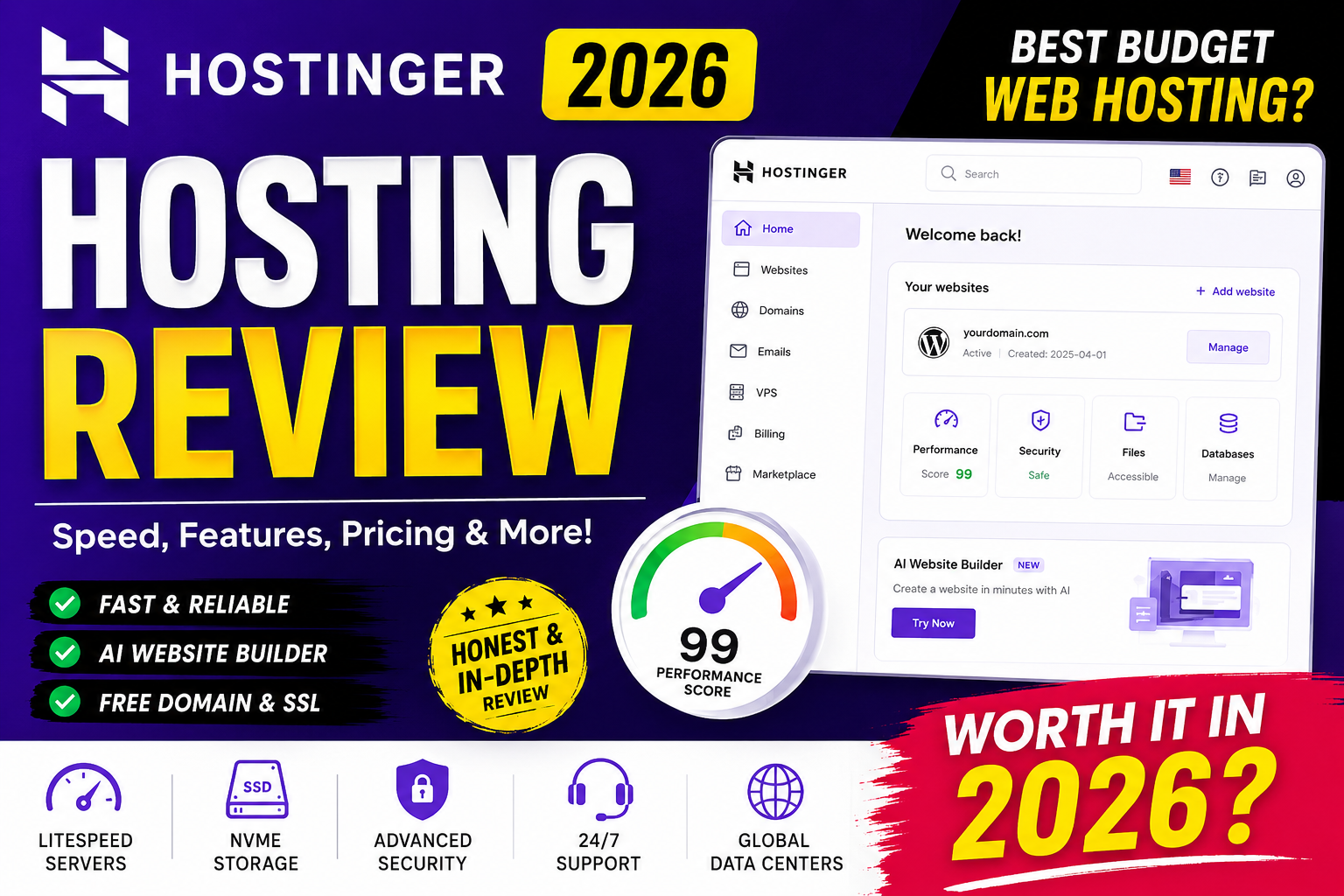
If you’re planning to launch a blog, portfolio, business website, WooCommerce store, or personal project in 2026, choosing the right web hosting provider is one of the most important decisions you’ll make.
A good hosting service doesn’t just keep your website online—it also affects your site’s loading speed, security, search engine rankings, user experience, and overall business success.
Among the many hosting providers available today, Hostinger has consistently remained one of the most popular choices for beginners and professionals alike.
Known for its affordable pricing, LiteSpeed-powered servers, free domain offers, managed WordPress hosting, AI-powered website tools, and user-friendly control panel, Hostinger has earned millions of customers across the globe.
But does it still deserve its reputation in 2026?
In this comprehensive Hostinger Hosting Review 2026, we’ll take an in-depth look at everything the platform offers—from hosting plans and performance to pricing, security, customer support, AI features, and real-world usability. We’ll also compare it with other popular hosting providers to help you determine whether it’s the right choice for your website.
Whether you’re a blogger, freelancer, startup founder, agency owner, or small business owner, this review will help you make an informed decision before investing in web hosting.
What Is Hostinger?
Hostinger is a global web hosting company that provides affordable and high-performance hosting services for individuals, businesses, developers, and agencies.
Founded in 2004, the company has grown from a small hosting startup into one of the world’s largest hosting providers, serving millions of users across more than 150 countries.
Today, Hostinger offers a complete ecosystem of web services, including:
- Shared Hosting
- Managed WordPress Hosting
- Cloud Hosting
- VPS Hosting
- Email Hosting
- Domain Registration
- Website Builder
- AI Website Builder
- Business Email
- SSL Certificates
- Professional Website Migration
- CDN Integration
One of Hostinger’s biggest strengths is its focus on delivering premium-level features at budget-friendly prices.
Hostinger Company Overview
| Feature | Details |
|---|---|
| Founded | 2004 |
| Headquarters | Kaunas, Lithuania |
| Customers | Millions worldwide |
| Countries Served | 150+ |
| Hosting Type | Shared, Cloud, VPS, WordPress |
| Free SSL | Yes |
| Free Domain | Available with eligible annual plans |
| Website Builder | Yes |
| AI Website Builder | Yes |
| 30-Day Money Back | Yes |
| Data Centers | Multiple global locations |
Over the last decade, Hostinger has invested heavily in infrastructure, server optimization, AI-powered website creation, and customer experience.
Instead of relying on the traditional cPanel interface, Hostinger developed its own custom dashboard called hPanel, making website management much easier for beginners.
Why Hostinger Is One of the Most Popular Hosting Providers in 2026
There are hundreds of hosting companies competing for customers, but Hostinger continues to stand out for several reasons.
1. Affordable Pricing
Hostinger is known for offering some of the lowest introductory hosting prices in the industry while still providing premium features like:
- Free SSL
- Free domain (eligible plans)
- Free email
- LiteSpeed servers
- Managed WordPress
- AI tools
- Automatic backups (plan-dependent)
This makes it especially attractive for first-time website owners and small businesses.
2. Excellent Performance
Unlike many budget hosting companies that rely on outdated server technology, Hostinger uses:
- LiteSpeed Web Server
- NVMe SSD storage
- HTTP/3 support
- Latest PHP versions
- Optimized caching
- Global CDN compatibility
These technologies significantly improve website loading speed and overall performance.
3. Beginner-Friendly Interface
Many beginners struggle with traditional hosting dashboards.
Hostinger solves this problem with its modern hPanel, which offers:
- Clean dashboard
- One-click installations
- Domain management
- Email management
- Database management
- File Manager
- Security tools
- Performance monitoring
Everything is organized in an intuitive interface that reduces the learning curve.
4. AI-Powered Website Creation
One of the biggest additions to Hostinger in recent years is its AI ecosystem.
Users can now create websites much faster using built-in AI features that help generate layouts, text, images, and even branding ideas.
This is particularly useful for users with little or no web design experience.
5. Optimized WordPress Hosting
WordPress powers over 40% of websites worldwide, and Hostinger has optimized its infrastructure specifically for WordPress.
Features include:
- One-click WordPress installation
- Managed updates
- WP-CLI
- Staging (on selected plans)
- Automatic optimization
- Object caching
- LiteSpeed Cache integration
This combination helps WordPress websites load quickly and remain secure.
Hostinger Hosting Plans Explained
Hostinger offers multiple hosting solutions designed for different types of users.
Let’s explore each one.
Shared Hosting
Shared Hosting remains Hostinger’s most popular service.
It is designed for:
- Beginners
- Bloggers
- Personal websites
- Small businesses
- Portfolio websites
- Startup websites
Best For
- New bloggers
- Students
- Freelancers
- Affiliate marketers
- Local businesses
Key Features
- LiteSpeed Web Server
- Free SSL
- Email accounts
- Website Builder
- WordPress optimization
- Managed updates
- Weekly or daily backups (depending on plan)
- Malware scanner
- Free migration
Advantages
✔ Very affordable
✔ Easy to use
✔ Excellent speed
✔ Low maintenance
Limitations
- Limited server resources compared to VPS
- Heavy traffic websites may eventually outgrow shared hosting
Managed WordPress Hosting
WordPress users receive additional optimizations beyond standard shared hosting.
Hostinger configures the hosting environment specifically for WordPress performance.
Included Features
- WordPress acceleration
- LiteSpeed Cache
- Automatic updates
- Security monitoring
- WordPress staging (selected plans)
- Managed maintenance
- One-click installation
- WP-CLI access
This makes it an excellent option for bloggers and businesses that rely on WordPress.
Cloud Hosting
Cloud Hosting combines the simplicity of shared hosting with the performance of dedicated resources.
Instead of sharing resources with hundreds of users, cloud hosting provides dedicated computing resources, resulting in better stability and scalability.
Ideal For
- Growing businesses
- WooCommerce stores
- High-traffic blogs
- Agencies
- SaaS startups
Features
- Dedicated resources
- Isolated environment
- Enhanced speed
- Better uptime
- Automatic scaling support
- Free CDN
- Daily backups
Cloud hosting is a strong choice for users who have outgrown shared hosting but don’t want to manage a VPS.
VPS Hosting
Developers and advanced users often prefer VPS hosting due to its flexibility.
Hostinger’s VPS plans provide:
- Dedicated CPU resources
- Full root access
- Linux operating systems
- Custom software installation
- Docker support
- Control over server configuration
Best For
- Developers
- Agencies
- Game servers
- Large applications
- API hosting
- SaaS platforms
Unlike shared hosting, VPS hosting requires server management knowledge but offers significantly greater control and scalability.
Business Hosting
Business Hosting is tailored for eCommerce stores and business websites that require more performance than standard shared hosting.
Benefits
- Faster servers
- Daily backups
- More CPU power
- Increased RAM allocation
- Better handling of traffic spikes
- Enhanced security
This plan is especially suitable for WooCommerce websites and businesses expecting consistent growth.
Performance Review
Performance is one of the biggest reasons many users choose Hostinger.
Let’s examine the technologies that contribute to its speed and reliability.
LiteSpeed Web Server
Instead of using the traditional Apache web server found with many budget hosts, Hostinger uses LiteSpeed Web Server on most hosting plans.
Benefits of LiteSpeed
- Faster page loading
- Improved server efficiency
- Better handling of concurrent visitors
- Reduced CPU usage
- Built-in caching
- Enhanced security
For WordPress users, LiteSpeed Cache integration provides significant improvements in Core Web Vitals and overall loading performance.
NVMe SSD Storage
Traditional SSDs are already much faster than mechanical hard drives, but Hostinger has gone a step further by adopting NVMe SSD storage on many of its plans.
Advantages
- Faster data retrieval
- Reduced latency
- Improved database performance
- Quicker file transfers
- Better website responsiveness
For dynamic websites such as WordPress and WooCommerce, NVMe storage can noticeably improve page load times and backend responsiveness.
Global Data Centers
A website loads faster when it is hosted closer to its visitors.
Hostinger operates data centers in multiple regions, allowing customers to choose a server location that best matches their audience.
Benefits include:
- Lower latency
- Faster website loading
- Better user experience
- Improved regional SEO performance
- Higher reliability
This flexibility is particularly valuable for businesses targeting customers in specific geographic regions.
Hostinger hPanel Review
One of Hostinger’s biggest advantages over many competitors is its custom-built hPanel.
Unlike traditional hosting providers that rely on the older cPanel interface, Hostinger has developed its own modern dashboard designed for speed, simplicity, and ease of use.
Whether you’re creating your first website or managing dozens of domains, hPanel makes website administration much more intuitive.
What Is hPanel?
hPanel is Hostinger’s proprietary hosting control panel that allows users to manage:
- Websites
- Domains
- Email Accounts
- Databases
- SSL Certificates
- DNS Records
- File Manager
- FTP Accounts
- PHP Settings
- Website Backups
- Security Features
- Resource Usage
- Billing
- AI Website Tools
Everything is accessible from a clean dashboard without overwhelming beginners.
Why hPanel Is Better Than Traditional cPanel for Beginners
Many new website owners find cPanel confusing because it contains hundreds of icons and settings.
Hostinger redesigned the experience with simplicity in mind.
Benefits of hPanel
✅ Clean Interface
Menus are organized logically instead of showing dozens of icons.
✅ Faster Navigation
Most important tasks are accessible within just one or two clicks.
✅ Mobile-Friendly Dashboard
You can manage hosting even from tablets or smartphones.
✅ Beginner Friendly
Every section includes descriptions and helpful guidance.
✅ Built-In Tutorials
Many settings include explanations to help users understand what each option does.
Website Management Inside hPanel
Creating and managing websites is incredibly simple.
Users can:
- Install WordPress
- Create staging environments (supported plans)
- Delete websites
- Clone websites
- Change domains
- Connect custom domains
- Manage DNS
- Configure SSL
- Enable CDN
- Manage PHP versions
The dashboard is designed so that even someone with no technical knowledge can launch a website in minutes.
Domain Management
Hostinger also simplifies domain management.
Users can:
- Register new domains
- Transfer domains
- Renew domains
- Update WHOIS information
- Configure DNS records
- Manage nameservers
- Create subdomains
- Park domains
- Redirect domains
Everything is available from the same dashboard without needing third-party tools.
One-Click WordPress Installation
Installing WordPress takes less than a minute.
The installation wizard automatically configures:
- Database
- Admin account
- Latest WordPress version
- Basic optimization
- HTTPS
- Default settings
This eliminates the complicated manual installation process.
WordPress Hosting Review
Hostinger has become one of the most recommended hosting providers for WordPress users.
Unlike generic shared hosting, its WordPress environment is specifically optimized for performance and security.
WordPress Performance
Hostinger includes several performance enhancements.
These include:
- LiteSpeed Cache
- PHP Optimization
- HTTP/3
- Object Cache
- Image Optimization Support
- Advanced Caching
- CDN Integration
These technologies significantly improve loading speed.
WordPress Security
Security is equally important.
Hostinger provides:
- Malware monitoring
- Automatic updates
- Brute-force protection
- Secure login
- DDoS mitigation
- Free SSL certificates
- Isolated hosting accounts
These features help protect WordPress websites against common attacks.
WordPress Staging
Premium plans include staging functionality.
This allows users to:
- Test plugins
- Test themes
- Update WordPress safely
- Make design changes
- Debug issues
without affecting the live website.
Developers especially appreciate this feature.
Automatic Updates
Keeping WordPress updated is essential.
Hostinger automatically updates:
- WordPress Core
- Security patches
- PHP versions
- Server software
This reduces maintenance work considerably.
LiteSpeed Cache Plugin
The LiteSpeed Cache plugin is one of the strongest reasons many WordPress users choose Hostinger.
Benefits include:
- Browser caching
- Object cache
- Image optimization
- CSS minification
- JavaScript optimization
- HTML optimization
- Lazy loading
- Critical CSS generation
These features improve Core Web Vitals and user experience.
AI Website Builder Review
One of Hostinger’s biggest innovations in 2026 is its AI-powered Website Builder.
Instead of spending days designing a website manually, users can create a professional website within minutes.
How AI Website Builder Works
The process is remarkably simple.
You provide:
- Business name
- Industry
- Website purpose
- Preferred colors
- Brand style
The AI then generates:
- Homepage
- About page
- Contact page
- Images
- Layout
- Navigation
- Headlines
- Website copy
This saves hours of work.
AI Writing Assistant
Hostinger also includes an AI content generator.
It helps create:
- Landing pages
- Product descriptions
- Service pages
- Headlines
- Meta descriptions
- Blog ideas
- FAQ sections
While human editing is still recommended for originality and SEO, the AI assistant is useful for overcoming writer’s block and creating first drafts.
AI Image Generator
The AI Image Generator enables users to create custom visuals without needing separate design software.
It can generate:
- Hero banners
- Website illustrations
- Blog graphics
- Product visuals
- Background images
This is especially valuable for small businesses and entrepreneurs with limited design resources.
AI SEO Assistant
Hostinger also includes AI-powered SEO suggestions.
These tools help users:
- Improve page titles
- Optimize meta descriptions
- Suggest relevant keywords
- Enhance readability
- Structure content more effectively
While not a replacement for professional SEO tools, these features provide useful guidance for beginners.
AI Heatmap
An interesting addition is the AI Heatmap.
Instead of waiting for real user behavior data, the AI predicts where visitors are most likely to focus on a webpage.
This helps users improve:
- Button placement
- Call-to-action visibility
- Content hierarchy
- User engagement
- Conversion optimization
Website Builder Templates
Hostinger provides templates for various industries, including:
- Restaurants
- Photography
- Agencies
- Bloggers
- Online Stores
- Health Clinics
- Lawyers
- Consultants
- Portfolios
- Coaches
- Real Estate
- Travel
Each template is fully responsive and customizable.
Security Review
Website security should never be overlooked.
Hostinger includes several built-in protections to keep websites safe.
Free SSL Certificate
Every eligible hosting plan includes a free SSL certificate.
Benefits include:
- HTTPS encryption
- Better Google rankings
- Improved visitor trust
- Secure data transmission
Installing SSL is straightforward and typically requires only a few clicks.
DDoS Protection
Distributed Denial-of-Service (DDoS) attacks can overwhelm websites with malicious traffic.
Hostinger uses network-level protections to help mitigate these attacks and keep websites accessible.
Malware Protection
Hostinger scans for common malware threats and suspicious activities, helping identify and address potential security issues before they escalate.
Firewall Protection
A web application firewall (WAF) helps filter malicious requests before they reach your website, reducing the risk of exploits and unauthorized access.
Automatic Backups
Backups are essential in case of accidental data loss or website issues.
Depending on the hosting plan, Hostinger offers:
- Weekly backups
- Daily backups
- One-click restore options
This makes it easier to recover your website quickly if something goes wrong.
Two-Factor Authentication (2FA)
Hostinger supports two-factor authentication for account logins.
With 2FA enabled, even if your password is compromised, an additional verification step helps protect your hosting account.
Website Migration Review
Migrating an existing website can seem intimidating, but Hostinger offers a free migration service for many website types.
Free Website Migration
Users can submit a migration request through their account dashboard.
The migration team typically handles:
- Website files
- Databases
- WordPress installations
- Email migration (where supported)
This reduces downtime and technical complexity.
Why Free Migration Matters
Many hosting companies charge extra for migration services.
Hostinger’s migration support can save both time and money, especially for users moving from another hosting provider.
Email Hosting Review
Professional email addresses enhance credibility for businesses.
Hostinger allows users to create branded email accounts using their own domain.
Features include:
- Custom email addresses
- Spam filtering
- Email forwarding
- Autoresponders
- Webmail access
- IMAP and POP3 support
- SMTP configuration
Having a business email such as info@yourdomain.com creates a more professional impression than using a generic free email address.
Customer Support Review
Customer support is an important consideration when choosing a hosting provider.
Hostinger offers support primarily through:
- 24/7 live chat
- Knowledge Base
- Tutorials
- Step-by-step guides
- AI assistant for common questions
The support team is generally responsive and knowledgeable, particularly for hosting, WordPress, and account-related issues.
Knowledge Base
Hostinger’s help center includes hundreds of articles covering topics such as:
- WordPress
- Email setup
- DNS management
- SSL installation
- Website migration
- Performance optimization
- Security
- Website Builder
These guides make it easier for users to troubleshoot common issues independently.
Ease of Use: A Beginner-Friendly Experience
One of Hostinger’s greatest strengths is its accessibility for users without technical expertise.
Tasks like installing WordPress, connecting a domain, enabling SSL, setting up email, or launching a website can all be completed through guided interfaces.
This focus on simplicity makes Hostinger a strong option for:
- First-time website owners
- Bloggers
- Freelancers
- Small business owners
- Students
- Content creators
Hostinger Pricing Review (2026)
One of the biggest reasons behind Hostinger’s popularity is its competitive pricing. It offers plans for beginners, bloggers, freelancers, developers, and businesses without sacrificing essential features.
Shared Hosting Plans
Shared hosting is ideal for:
- Personal websites
- Blogs
- Portfolio websites
- Startup businesses
- Small company websites
Most shared plans include:
- Free SSL certificate
- Managed WordPress
- LiteSpeed servers
- NVMe SSD storage (on supported plans)
- Email hosting
- One-click WordPress installation
- AI Website Builder
- Website migration
- 30-day money-back guarantee
Longer billing cycles generally provide the best value.
WordPress Hosting Pricing
Hostinger’s managed WordPress hosting is competitively priced and includes:
- WordPress optimization
- Automatic updates
- LiteSpeed Cache
- Enhanced security
- WordPress acceleration
- Free SSL
- Staging (selected plans)
For many users, WordPress hosting offers excellent value due to its optimized environment and managed features.
Cloud Hosting Pricing
Cloud hosting costs more than shared hosting but provides:
- Dedicated resources
- Better performance
- Daily backups
- Free CDN
- Higher uptime
- Improved scalability
It’s suitable for businesses, eCommerce stores, and websites expecting consistent traffic growth.
VPS Hosting Pricing
VPS hosting is designed for developers and advanced users who need:
- Root access
- Dedicated CPU
- Dedicated RAM
- Full server control
- Docker support
- Linux operating systems
While it requires technical knowledge, it offers maximum flexibility and performance.
Is Hostinger Worth the Money?
Considering the included features, Hostinger provides excellent value.
Included features often include:
✔ Free SSL
✔ Website Builder
✔ AI tools
✔ LiteSpeed
✔ WordPress optimization
✔ Email hosting
✔ Website migration
✔ Security tools
✔ Global data centers
✔ Modern hPanel
Many competing hosts charge extra for features that Hostinger includes in its standard plans.
Real-World Performance
Although server performance varies depending on website configuration, plugins, themes, visitor location, and traffic, Hostinger consistently performs well due to:
- LiteSpeed Web Server
- NVMe SSD storage
- HTTP/3 support
- Object caching
- Optimized PHP
- CDN compatibility
These technologies contribute to fast loading times and a smoother user experience.
Uptime Review
Website availability is critical for SEO, conversions, and customer trust.
Hostinger aims to provide high uptime backed by modern infrastructure and multiple data centers.
A stable hosting environment means:
- Fewer interruptions
- Better user experience
- Improved search engine visibility
- Increased sales opportunities
For most websites, Hostinger delivers reliable uptime suitable for business and personal use.
Security Review
Security is one of Hostinger’s strongest areas.
Built-in protections include:
- Free SSL certificates
- DDoS protection
- Firewall protection
- Malware scanning
- Automatic updates
- Secure account management
- Two-factor authentication
- Backup options
These features reduce the need for additional third-party security services, especially for small websites.
Hostinger Pros
Hostinger offers numerous advantages that make it appealing to a broad range of users.
1. Affordable Pricing
Hostinger remains one of the most budget-friendly hosting providers without compromising on core features.
2. Excellent Speed
LiteSpeed servers and NVMe storage help deliver fast page loading and responsive websites.
3. Beginner-Friendly Dashboard
The custom hPanel is intuitive and easy to navigate, even for users with no prior hosting experience.
4. Free Website Migration
Migrating an existing website is straightforward thanks to Hostinger’s migration service.
5. Managed WordPress
Automatic updates, caching, and optimization simplify WordPress maintenance.
6. AI Website Builder
AI-powered design and content tools help users create websites more quickly.
7. Free SSL
Secure HTTPS connections are included with eligible hosting plans.
8. Multiple Data Centers
Choosing a server location closer to your audience can improve website speed.
9. Reliable Customer Support
24/7 support, tutorials, and a detailed knowledge base make it easier to resolve issues.
10. Great Value
Considering the included features, Hostinger offers a compelling balance between price and performance.
Hostinger Cons
No hosting provider is perfect.
Here are a few areas where Hostinger may not suit every user.
1. No Traditional cPanel
Users accustomed to cPanel may need time to adapt to hPanel.
2. Renewal Prices
Like many hosting companies, renewal pricing may be higher than introductory promotional pricing.
3. Entry-Level Resource Limits
Lower-tier shared plans have resource limits, making them less suitable for very high-traffic websites.
4. VPS Requires Technical Knowledge
Managing a VPS requires familiarity with server administration.
Hostinger vs Bluehost
| Feature | Hostinger | Bluehost |
|---|---|---|
| Pricing | More affordable | Higher |
| Speed | LiteSpeed | Apache/NGINX-based |
| Dashboard | hPanel | cPanel |
| AI Builder | Yes | Yes |
| Free Migration | Available | Limited |
| Performance | Excellent | Good |
| Ease of Use | Excellent | Very Good |
Winner: Hostinger offers better value for budget-conscious users.
Hostinger vs SiteGround
| Feature | Hostinger | SiteGround |
|---|---|---|
| Pricing | Lower | Premium |
| Speed | Excellent | Excellent |
| Backups | Included (plan-dependent) | Included |
| AI Tools | Yes | Limited |
| Dashboard | hPanel | Site Tools |
Winner: SiteGround is known for premium support, while Hostinger provides stronger value for money.
Hostinger vs Cloudways
| Feature | Hostinger | Cloudways |
|---|---|---|
| Beginner Friendly | Yes | Moderate |
| Managed Hosting | Yes | Yes |
| Pricing | Lower | Higher |
| AI Builder | Yes | No |
| Server Management | Minimal | More advanced |
Winner: Hostinger is ideal for beginners; Cloudways is better suited to experienced developers and agencies.
Hostinger vs Namecheap
| Feature | Hostinger | Namecheap |
|---|---|---|
| Hosting Performance | Excellent | Good |
| Website Builder | Yes | Basic |
| AI Features | Yes | Limited |
| WordPress Optimization | Excellent | Good |
| Speed | Faster | Good |
Winner: Hostinger generally provides a richer feature set for hosting-focused users.
Who Should Buy Hostinger?
Hostinger is well-suited for:
- Bloggers
- Affiliate marketers
- Freelancers
- Students
- Startups
- Small businesses
- Agencies
- Portfolio websites
- WordPress users
- WooCommerce stores
- Content creators
Who Should Avoid Hostinger?
You may want to consider other options if:
- You require highly customized enterprise infrastructure.
- You need fully managed dedicated servers.
- You rely on a specific control panel that isn’t available.
- You need specialized compliance or hosting environments.
Overall Rating
| Category | Rating |
|---|---|
| Pricing | ⭐⭐⭐⭐⭐ (5/5) |
| Speed | ⭐⭐⭐⭐⭐ (5/5) |
| Ease of Use | ⭐⭐⭐⭐⭐ (5/5) |
| WordPress | ⭐⭐⭐⭐⭐ (5/5) |
| Security | ⭐⭐⭐⭐⭐ (5/5) |
| Support | ⭐⭐⭐⭐☆ (4.5/5) |
| Features | ⭐⭐⭐⭐⭐ (5/5) |
| Value for Money | ⭐⭐⭐⭐⭐ (5/5) |
Overall Score
⭐⭐⭐⭐⭐ 4.9/5
Frequently Asked Questions (FAQs)
1. Is Hostinger good for beginners?
Yes. Its intuitive hPanel, one-click WordPress installation, and AI Website Builder make it accessible for beginners.
2. Is Hostinger good for WordPress?
Yes. Managed WordPress features, LiteSpeed Cache, and optimized infrastructure make it a strong choice for WordPress websites.
3. Does Hostinger include a free domain?
Eligible annual hosting plans typically include a free domain for the first year.
4. Does Hostinger provide free SSL?
Yes, eligible hosting plans include a free SSL certificate.
5. Is Hostinger fast?
Hostinger’s use of LiteSpeed servers, NVMe SSD storage, and caching technologies contributes to strong performance.
6. Does Hostinger offer free website migration?
Yes, Hostinger provides a free migration service for many supported website types.
7. Can I host multiple websites?
Many plans allow multiple websites, though this depends on the specific hosting package.
8. Is Hostinger good for WooCommerce?
Yes. Business and Cloud Hosting plans are well-suited for WooCommerce stores due to their enhanced performance and scalability.
9. Does Hostinger offer email hosting?
Yes, professional email hosting is available with many hosting plans.
10. Can I upgrade my hosting plan later?
Yes. Users can upgrade to higher-tier plans as their website grows.
11. Does Hostinger have AI tools?
Yes. It offers AI-powered website creation, content generation, image creation, SEO assistance, and other productivity features.
12. Is Hostinger suitable for developers?
Yes. VPS hosting includes root access, custom configurations, and support for developer workflows.
13. What control panel does Hostinger use?
Hostinger uses its proprietary hPanel instead of cPanel.
14. Does Hostinger support PHP?
Yes. Users can manage PHP versions through hPanel.
15. Is Hostinger reliable?
Hostinger is widely recognized for reliable performance and a modern hosting infrastructure.
Final Verdict
Hostinger continues to be one of the best-value web hosting providers in 2026. It successfully combines affordability with a rich feature set that includes LiteSpeed-powered performance, AI-assisted website creation, managed WordPress tools, free SSL, website migration, and an easy-to-use hPanel.
For beginners, it offers one of the smoothest onboarding experiences in the industry. Bloggers and affiliate marketers benefit from fast loading speeds and WordPress optimization, while small businesses gain access to professional email, security tools, and scalable hosting options. As websites grow, users can seamlessly upgrade to Cloud or VPS hosting without changing providers.
Hostinger isn’t the ideal solution for every scenario—organizations needing enterprise-grade dedicated infrastructure or highly specialized hosting environments may prefer more advanced platforms. However, for the vast majority of personal websites, blogs, portfolios, online stores, and small-to-medium business sites, Hostinger delivers an excellent balance of performance, usability, and price.
Final Recommendation
If you’re looking for a hosting provider that is:
- Affordable
- Beginner-friendly
- Fast and reliable
- Optimized for WordPress
- Equipped with modern AI tools
- Backed by useful security features
- Easy to scale as your website grows
then Hostinger is one of the strongest web hosting choices in 2026.
Whether you’re launching your first blog or managing a growing online business, Hostinger offers a dependable foundation to build and expand your online presence.