

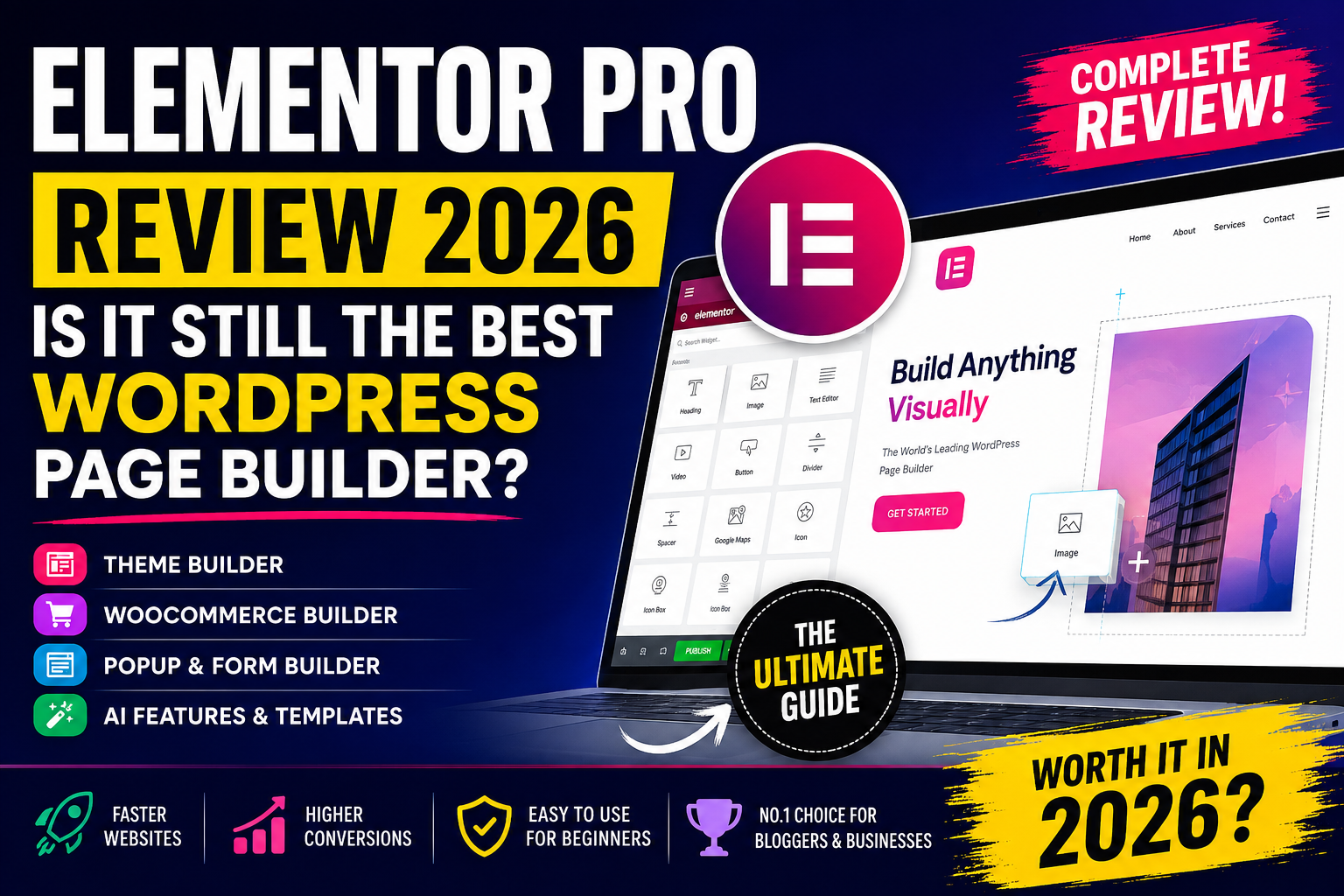
If you’ve spent even a few minutes searching for the best WordPress page builder, you’ve almost certainly come across Elementor Pro. Since its launch, Elementor has transformed how websites are built, making professional web design accessible without writing code.
Fast forward to 2026, and the competition has become much stronger. Builders like Bricks Builder, Breakdance, Divi, GenerateBlocks, and the ever-improving WordPress Gutenberg Editor are challenging Elementor’s dominance.
So, an important question arises:
Is Elementor Pro still worth buying in 2026?
The short answer is yes—but it depends on your needs.
In this in-depth review, we’ll explore everything Elementor Pro offers, including its newest AI-powered tools, performance improvements, pricing, ease of use, design flexibility, and real-world usability.
Whether you’re:
- A beginner creating your first website
- A blogger
- An affiliate marketer
- A freelancer
- A web design agency
- An eCommerce business owner
this review will help you decide whether Elementor Pro deserves a place in your WordPress toolkit.
Quick Verdict
| Category | Rating |
|---|---|
| Ease of Use | ⭐⭐⭐⭐⭐ |
| Design Flexibility | ⭐⭐⭐⭐⭐ |
| Templates | ⭐⭐⭐⭐⭐ |
| AI Features | ⭐⭐⭐⭐☆ |
| Speed Optimization | ⭐⭐⭐⭐☆ |
| WooCommerce Builder | ⭐⭐⭐⭐⭐ |
| Theme Builder | ⭐⭐⭐⭐⭐ |
| Value for Money | ⭐⭐⭐⭐☆ |
Overall Rating
⭐⭐⭐⭐⭐ 4.8/5
Best For
- Beginners
- Bloggers
- Affiliate marketers
- Agencies
- Business websites
- Landing pages
- WooCommerce stores
- Portfolio websites
What is Elementor Pro?
Elementor Pro is the premium version of the popular Elementor WordPress page builder. It expands the free plugin with advanced widgets, theme-building capabilities, marketing tools, WooCommerce customization, popup creation, dynamic content support, and AI-powered features.
Unlike traditional WordPress editing, Elementor uses a real-time visual editor. Every change appears instantly, allowing you to design pages exactly as visitors will see them.
This visual approach removes much of the complexity associated with website design and helps users build polished, responsive pages without coding knowledge.
Why Elementor Became So Popular
Elementor’s popularity isn’t accidental. It solved many of the frustrations users experienced with traditional WordPress editing.
Some of the reasons include:
- True drag-and-drop editing
- Real-time visual preview
- Massive widget library
- Responsive controls
- Large template collection
- Fast learning curve
- Extensive third-party ecosystem
- Strong community support
As WordPress has evolved, Elementor has continued adding features to stay competitive, including AI-powered design assistance and improved performance.
What’s New in Elementor Pro 2026?
Elementor Pro continues to evolve with features aimed at improving productivity, performance, and design flexibility.
Highlights include:
- Enhanced AI writing and coding tools
- Faster editor loading times
- Improved container-based layouts
- Better responsive controls
- Expanded WooCommerce widgets
- Refined Theme Builder experience
- Additional design presets
- Performance-focused optimizations
- Improved accessibility options
- Advanced global style management
These updates make Elementor Pro more capable while helping users build faster-loading websites.
User Interface & First Impressions


One of Elementor Pro’s biggest strengths remains its user interface.
Instead of navigating multiple WordPress settings panels, users work inside a clean visual editor with:
- Left sidebar for widgets
- Live editing canvas
- Navigator panel
- Layers view
- History panel
- Responsive preview
- Global settings
- Theme Builder access
Everything is organized logically, making the learning curve relatively gentle.
Even someone building a website for the first time can usually create a professional-looking homepage within a few hours.
Installation Process
Getting started is straightforward.
Step 1
Install the free Elementor plugin from the WordPress Plugin Directory.
Step 2
Purchase Elementor Pro.
Step 3
Upload the Pro plugin.
Step 4
Activate your license.
Step 5
Start designing.
The setup wizard guides users through:
- Colors
- Fonts
- Site identity
- Homepage
- Header
- Footer
- Basic templates
This saves time compared to manually configuring each section.
Elementor AI: Smarter Website Building
One of the standout additions in recent versions is Elementor AI, which integrates artificial intelligence directly into the editor.
Instead of switching between multiple tools, users can generate and refine content, code, and design elements without leaving the page builder.
AI Writing
Elementor AI can assist with:
- Blog introductions
- Product descriptions
- Call-to-action buttons
- Hero section copy
- SEO-friendly headings
- Marketing content
- FAQ answers
- Landing page text
This is particularly useful for bloggers, affiliate marketers, and small business owners who need to produce content quickly.
AI Code Generation
For users who want custom styling without writing everything from scratch, Elementor AI can generate:
- Custom CSS
- HTML snippets
- JavaScript examples
- Layout adjustments
It also helps explain generated code, making it easier for beginners to understand and modify.
AI Image Assistance
Elementor AI also streamlines visual design by helping users create or refine graphics, backgrounds, and other assets, reducing the need to switch between multiple design tools during the website-building process.
Drag-and-Drop Editing Experience
The editing experience remains one of Elementor’s biggest strengths.
Users simply:
- Drag widgets
- Drop them anywhere
- Resize sections
- Adjust spacing
- Edit typography
- Customize colors
- Add animations
Everything updates instantly.
No page refreshes.
No backend editing.
No guessing.
This significantly speeds up website creation.
Widgets Library
Elementor Pro includes a rich collection of advanced widgets that cover most common website needs.
Popular widgets include:
- Heading
- Image
- Video
- Icon Box
- Testimonials
- Pricing Tables
- Buttons
- Forms
- Countdown Timers
- Progress Bars
- Sliders
- Call to Action
- Portfolio
- Posts
- Navigation Menu
- Login
- Search
- WooCommerce Products
- Cart
- Checkout
- My Account
- Breadcrumbs
- Share Buttons
These widgets can be customized extensively using style controls, motion effects, spacing, typography, and responsive settings.
Container-Based Layout System
Elementor has fully embraced Flexbox Containers, replacing the older section-and-column system for new designs.
Why Containers Matter
Containers provide several advantages:
- Cleaner HTML output
- Better responsiveness
- Reduced DOM size
- Faster page rendering
- Easier alignment
- Flexible layouts
- Improved performance
- Modern CSS standards
For users building new websites in 2026, using Containers is highly recommended.
Responsive Editing

Modern websites must perform well on all screen sizes, and Elementor offers comprehensive responsive design controls.
You can customize settings independently for:
- Desktop
- Laptop
- Tablet
- Mobile
Responsive options include:
- Typography
- Margins
- Padding
- Width
- Height
- Alignment
- Display
- Visibility
- Flex direction
- Order
- Gaps
This level of control ensures your website looks polished across devices without requiring separate mobile themes.
Global Design System
Managing a consistent visual identity becomes much easier with Elementor’s Global Design System.
You can define:
- Brand colors
- Font families
- Button styles
- Form styling
- Heading hierarchy
- Global spacing
Once configured, changes made to these global settings automatically update across the site, saving significant time during redesigns or branding updates.
Performance Improvements
Earlier versions of Elementor were often criticized for generating heavy code, which could affect page speed.
Recent releases have addressed many of these concerns through:
- Optimized asset loading
- Improved CSS generation
- Reduced DOM output
- Container-based layouts
- Better lazy loading support
- Enhanced caching compatibility
- Leaner JavaScript delivery
When paired with quality hosting, caching, image optimization, and a lightweight theme, Elementor Pro can achieve excellent Core Web Vitals scores.
Who Should Use Elementor Pro?
Elementor Pro is an excellent choice for:
Bloggers
Create engaging articles with custom layouts, author boxes, tables of contents, and call-to-action sections.
Affiliate Marketers
Build high-converting landing pages, product reviews, comparison tables, and lead-generation funnels.
Small Businesses
Design professional service pages, contact forms, pricing sections, and appointment booking pages.
Freelancers
Deliver custom websites efficiently with reusable templates and global design controls.
Agencies
Manage multiple client websites while maintaining consistent branding and scalable workflows.
eCommerce Stores
Customize WooCommerce product pages, carts, checkouts, and promotional campaigns.
Theme Builder – Design Your Entire Website Without Coding


One of Elementor Pro’s biggest advantages is the Theme Builder.
Instead of being limited to designing only pages, you can visually build every major part of your WordPress website.
You can create:
- Headers
- Footers
- Single Blog Posts
- Blog Archive Pages
- Category Pages
- Search Results
- 404 Pages
- Author Pages
- Custom Post Types
- WooCommerce Templates
- Product Archives
This means you no longer depend on your WordPress theme for layout customization.
Real-World Example
Imagine you’re running a tech blog. With Theme Builder, you can create:
- A sticky header with your logo and navigation.
- A custom blog post template with an author box and related posts.
- A branded category archive for “WordPress.”
- A custom 404 page that suggests popular articles.
- A footer with newsletter signup and social links.
Every new post automatically uses the template, saving hours of manual work.
Display Conditions
One of the smartest features in Theme Builder is Display Conditions.
Instead of applying a template to every page, you can choose exactly where it appears.
Examples include:
- Entire website
- Homepage only
- Blog posts only
- Specific categories
- Tagged posts
- WooCommerce products
- Individual pages
- Custom post types
- Logged-in users
- User roles
This level of control makes Elementor suitable for complex websites.
Header Builder


A website’s header is one of its most important branding elements.
Elementor allows you to design headers visually without touching PHP files.
You can include:
- Logo
- Navigation Menu
- Search Icon
- CTA Button
- Social Icons
- Shopping Cart
- User Account
- Language Switcher
Advanced Options
- Sticky Header
- Transparent Header
- Scroll Effects
- Responsive Navigation
- Mega Menu Support
- Mobile Menu
These features help create premium-looking websites.
Footer Builder
Just like headers, footers are completely customizable.
Common footer elements include:
- Copyright text
- Social media links
- Contact details
- Google Maps
- Newsletter forms
- Recent posts
- Affiliate disclosure
- Privacy links
Instead of editing theme files, everything is managed visually.
Single Post Builder
If you’re a blogger or affiliate marketer, this feature is incredibly valuable.
Rather than editing each article manually, you design one template that applies to every post.
Your template can include:
- Featured image
- Category badge
- Author profile
- Reading time
- Social sharing buttons
- Related articles
- Table of contents
- CTA banners
- Newsletter opt-in
- Comments section
This keeps your content consistent and professional.
Archive Builder
Archive pages are often overlooked, but they can significantly improve user experience.
Elementor lets you create custom layouts for:
- Blog archives
- Categories
- Tags
- Authors
- Search results
- Product archives
You can add:
- Grid layouts
- Masonry layouts
- Filters
- Custom pagination
- Featured banners
- Sidebar widgets
WooCommerce Builder


If you run an online store, Elementor Pro becomes even more powerful.
The WooCommerce Builder allows complete customization of your store.
Instead of using default WooCommerce templates, you can design every shopping experience.
You can customize:
- Product pages
- Product archives
- Cart page
- Checkout page
- My Account page
- Thank You page
- Store homepage
Product Page Customization
Elementor gives you control over every product element.
You can customize:
- Product title
- Price
- Sale badge
- Product gallery
- Reviews
- Description
- Add to Cart button
- Product tabs
- Related products
- Upsells
- Cross-sells
This flexibility helps improve conversions by creating visually appealing product pages.
Checkout Builder
The checkout process often determines whether customers complete a purchase.
With Elementor Pro, you can simplify and brand the checkout experience.
Enhancements include:
- Cleaner layouts
- Trust badges
- Secure payment icons
- Testimonials
- FAQ section
- Money-back guarantee
- Shipping information
- Progress indicators
These additions can help reduce cart abandonment.
Popup Builder


Elementor’s Popup Builder replaces the need for many third-party popup plugins.
You can create:
- Email subscription popups
- Exit-intent popups
- Promotional offers
- Coupon popups
- Welcome screens
- Cookie notices
- Age verification
- Announcement bars
- Full-screen overlays
- Slide-ins
Popup Triggers
Popups can appear based on user behavior.
Available triggers include:
- Page load
- Scroll percentage
- Time delay
- Exit intent
- Click
- Inactivity
- After purchase
- After comment
- After login
This makes popups far more targeted than simple timed overlays.
Display Rules
You also control exactly where popups appear.
Options include:
- Homepage
- Entire website
- Blog posts
- WooCommerce pages
- Landing pages
- Categories
- Logged-in users
- Specific URLs
This level of targeting helps improve engagement while minimizing disruption.
Form Builder
One of the best reasons to upgrade to Elementor Pro is the built-in Form Builder.
Instead of installing another contact form plugin, Elementor lets you create forms directly within the page builder.
Supported forms include:
- Contact forms
- Quote requests
- Appointment bookings
- Newsletter subscriptions
- Job applications
- Surveys
- Feedback forms
- Registration forms
Available Form Fields
You can add:
- Name
- Phone
- URL
- Number
- Text
- Textarea
- Select
- Radio buttons
- Checkboxes
- Date picker
- Time picker
- File upload
- Hidden fields
- Acceptance checkbox
- HTML field
The drag-and-drop interface makes customization straightforward.
Marketing Integrations
Elementor Pro integrates with many popular email marketing services.
Examples include:
- Mailchimp
- ActiveCampaign
- ConvertKit
- GetResponse
- Campaign Monitor
- Drip
- MailerLite
- HubSpot
You can also connect forms to automation tools via webhooks or APIs.
Dynamic Content
Dynamic content is one of Elementor Pro’s most powerful capabilities.
Instead of static text, you can pull information dynamically from WordPress.
Examples include:
- Post title
- Author name
- Publish date
- Custom fields
- Featured image
- Taxonomies
- User information
- WooCommerce product data
This is especially useful for directories, real estate websites, portfolios, and membership sites.
Loop Grid Builder
The Loop Grid Builder lets you design reusable layouts for repeating content.
You can build custom designs for:
- Blog posts
- Products
- Team members
- Testimonials
- Case studies
- Portfolio items
Once created, Elementor automatically displays the correct content using the same layout.
Template Library


Elementor Pro includes access to a vast library of professionally designed templates.
You’ll find templates for:
- Homepages
- Landing pages
- About pages
- Contact pages
- Portfolios
- Services
- Restaurants
- Agencies
- SaaS businesses
- Online courses
- Ecommerce stores
- Blogs
These templates can dramatically reduce website development time.
Global Widgets
Global Widgets save time when reusing the same design across multiple pages.
For example:
- CTA buttons
- Pricing tables
- Testimonial sections
- Newsletter forms
- Contact blocks
Edit the widget once, and every instance across your website updates automatically.
Motion Effects and Animations
Elementor provides a range of animation tools to make websites more engaging.
Available effects include:
- Fade
- Zoom
- Slide
- Rotate
- Entrance animations
- Mouse tracking
- Scrolling effects
- Sticky elements
- Transform controls
- Hover animations
Used sparingly, these effects can enhance user experience without overwhelming visitors.
Role Manager
For agencies and teams, Elementor includes a Role Manager.
You can restrict access for:
- Administrators
- Editors
- Authors
- Contributors
- Shop Managers
This prevents accidental changes by users who shouldn’t modify site layouts.
Revision History
Mistakes happen—but Elementor makes recovery easy.
The Revision History feature allows you to:
- Undo recent changes
- Redo edits
- Restore previous versions
- Compare revisions
This is especially useful when experimenting with new layouts.
Performance Considerations
Despite adding many advanced features, Elementor Pro includes options to help optimize performance.
Recommended practices include:
- Use Flexbox Containers instead of old sections.
- Enable optimized asset loading.
- Compress images before uploading.
- Limit excessive animations.
- Use a caching plugin.
- Choose fast web hosting.
- Load only required fonts.
- Minimize third-party add-ons.
When optimized correctly, Elementor-powered websites can achieve strong performance scores.
Best Use Cases
Elementor Pro is an excellent fit for:
Affiliate Marketing Websites
- Product reviews
- Comparison tables
- Call-to-action buttons
- Lead generation forms
Business Websites
- Service pages
- Contact forms
- Testimonials
- Appointment bookings
Agencies
- Client websites
- Reusable templates
- Dynamic content
- White-label workflows
eCommerce Stores
- Product pages
- Promotional popups
- Optimized checkout
- Custom account pages
Bloggers
- Article templates
- Author boxes
- Newsletter forms
- Related posts
Elementor Pro Pricing 2026

One of the biggest questions users ask before purchasing Elementor Pro is whether its premium plans justify the investment.
While the free version is capable enough for basic websites, the Pro version unlocks advanced design tools, marketing features, WooCommerce customization, Theme Builder, Popup Builder, Form Builder, and AI-powered capabilities that are essential for professional websites.
Elementor offers multiple plans tailored to different types of users—from individual bloggers to freelancers and agencies managing hundreds of client websites.
Note: Pricing may change over time. Always check Elementor’s official website for the latest plans and offers before purchasing.
Which Plan Should You Choose?
Solo Bloggers & Affiliate Marketers
If you manage one website, the entry-level plan usually provides everything you need, including Theme Builder, Forms, Popup Builder, and premium widgets.
Recommended for:
- Bloggers
- Niche website owners
- Affiliate marketers
- Portfolio websites
Freelancers
Freelancers building websites for multiple clients benefit from multi-site licenses, allowing them to reuse templates, widgets, and workflows efficiently.
Perfect for:
- Web designers
- WordPress developers
- SEO agencies
- Marketing consultants
Agencies
Larger agencies managing dozens or hundreds of websites can opt for higher-tier plans that include premium support, collaboration tools, and more site activations.
Ideal for:
- Digital agencies
- Enterprise businesses
- Large development teams
Is Elementor Pro Worth the Price?
Compared to hiring a web developer or purchasing multiple premium plugins separately, Elementor Pro often provides excellent value.
Instead of buying individual plugins for:
- Contact Forms
- Popup Builder
- Landing Page Builder
- Theme Builder
- WooCommerce Builder
- Dynamic Content
- Marketing Integrations
…Elementor Pro bundles them into one solution, reducing costs and plugin conflicts.
Website Performance in 2026
Website speed is one of the most important ranking factors in Google Search. Earlier versions of Elementor were sometimes criticized for adding extra code, but recent updates have significantly improved performance.
When combined with good hosting, caching, image optimization, and a lightweight theme, Elementor websites can load very quickly.
Performance Improvements
Recent versions include:
- Optimized CSS loading
- Improved JavaScript handling
- Reduced DOM size with Flexbox Containers
- Better asset loading
- Lazy loading compatibility
- Font optimization
- Improved caching support
- Reduced render-blocking resources
These changes make Elementor much more competitive with newer page builders.
Core Web Vitals
Google evaluates websites using Core Web Vitals.
Elementor websites can achieve excellent scores when properly optimized.
Largest Contentful Paint (LCP)
Measures loading performance.
Best Practices:
- Compress images
- Use WebP images
- Enable caching
- Fast hosting
- CDN
Interaction to Next Paint (INP)
Measures responsiveness.
Recommendations:
- Avoid unnecessary plugins
- Reduce JavaScript
- Optimize animations
Cumulative Layout Shift (CLS)
Measures visual stability.
Tips:
- Define image sizes
- Reserve space for ads
- Avoid layout shifts during loading
Elementor Performance Tips
For the best speed:
✔ Use Flexbox Containers
✔ Avoid excessive widgets
✔ Compress images
✔ Use modern image formats
✔ Enable lazy loading
✔ Minify CSS & JavaScript
✔ Use object caching
✔ Choose premium hosting
✔ Optimize fonts
✔ Limit third-party add-ons
SEO Features
Although Elementor is primarily a page builder, it includes several features that support SEO best practices.
Clean Heading Structure
You can easily create:
- H1
- H2
- H3
- H4
- H5
- H6
Maintaining a proper heading hierarchy improves readability and helps search engines understand your content.
Responsive Design
Google prioritizes mobile-friendly websites.
Elementor provides:
- Mobile previews
- Tablet previews
- Responsive typography
- Custom spacing
- Device-specific visibility controls
This ensures your site performs well across all devices.
Fast Loading Pages
Speed impacts both rankings and user experience.
Elementor’s optimized asset loading, combined with caching and image optimization, helps improve page speed.
SEO Plugin Compatibility
Elementor integrates seamlessly with popular SEO plugins such as:
- Yoast SEO
- Rank Math
- All in One SEO
- SEOPress
This allows you to manage meta titles, descriptions, schema markup, XML sitemaps, and social metadata without conflicts.
Elementor AI – Is It Worth Using?
Elementor AI continues to evolve and can be a valuable productivity tool.
It can assist with:
- Writing headlines
- Generating product descriptions
- Creating call-to-action copy
- Drafting FAQs
- Generating CSS snippets
- Creating HTML blocks
- Translating text
- Improving marketing copy
While AI-generated content should always be reviewed and edited, it can significantly speed up the website creation process.
Customer Support
Elementor offers several support resources:
- Knowledge Base
- Help Center
- Video Tutorials
- Community Forums
- Email Support (for Pro users)
- Academy Courses
- Developer Documentation
The documentation is comprehensive and suitable for both beginners and advanced users.
Elementor Community
One of Elementor’s biggest strengths is its active community.
You’ll find:
- Facebook groups
- YouTube tutorials
- Third-party blogs
- Premium template marketplaces
- Add-on developers
- WordPress communities
This ecosystem makes it easier to find solutions, inspiration, and additional resources.
Pros of Elementor Pro
1. Beginner-Friendly Interface
The visual editor makes website creation accessible even to users with no coding experience.
2. Massive Widget Library
A wide range of widgets reduces the need for additional plugins.
3. Theme Builder
Design every part of your website visually, including headers, footers, and templates.
4. WooCommerce Builder
Customize product pages, carts, and checkouts without editing code.
5. Popup Builder
Create targeted marketing popups without third-party plugins.
6. Form Builder
Build contact forms, lead generation forms, and surveys with ease.
7. Responsive Controls
Fine-tune layouts for desktop, tablet, and mobile devices independently.
8. Extensive Template Library
Save time with professionally designed templates and blocks.
9. AI Integration
Generate content and custom code directly within the editor.
10. Large Ecosystem
Access thousands of tutorials, extensions, and community resources.
Cons of Elementor Pro
1. Learning Curve
Although beginner-friendly, mastering advanced features like Theme Builder and Dynamic Content takes time.
2. Can Become Heavy
Poorly optimized websites with excessive widgets, animations, and add-ons may experience slower loading times.
3. Subscription Pricing
Elementor Pro requires annual renewal for updates and premium support.
4. Third-Party Add-on Dependence
Some advanced functionality still relies on external add-ons, which can increase complexity.
Elementor vs Divi
| Feature | Elementor Pro | Divi |
|---|---|---|
| Visual Editor | ⭐⭐⭐⭐⭐ | ⭐⭐⭐⭐☆ |
| Templates | ⭐⭐⭐⭐⭐ | ⭐⭐⭐⭐☆ |
| WooCommerce Builder | ⭐⭐⭐⭐⭐ | ⭐⭐⭐⭐☆ |
| Speed | ⭐⭐⭐⭐☆ | ⭐⭐⭐⭐☆ |
| Theme Builder | ⭐⭐⭐⭐⭐ | ⭐⭐⭐⭐☆ |
| Ease of Use | ⭐⭐⭐⭐⭐ | ⭐⭐⭐⭐☆ |
Winner: Elementor Pro
Elementor offers a more intuitive editing experience and a larger ecosystem, while Divi remains a strong option for users invested in the Elegant Themes ecosystem.
Elementor vs Bricks Builder
| Feature | Elementor | Bricks |
|---|---|---|
| Ease of Use | ⭐⭐⭐⭐⭐ | ⭐⭐⭐⭐☆ |
| Performance | ⭐⭐⭐⭐☆ | ⭐⭐⭐⭐⭐ |
| Templates | ⭐⭐⭐⭐⭐ | ⭐⭐⭐⭐☆ |
| Widgets | ⭐⭐⭐⭐⭐ | ⭐⭐⭐⭐☆ |
| Community | ⭐⭐⭐⭐⭐ | ⭐⭐⭐⭐☆ |
Winner:
- Performance: Bricks Builder
- Features & Ecosystem: Elementor Pro
Elementor vs Gutenberg
| Feature | Elementor | Gutenberg |
|---|---|---|
| Visual Editing | ⭐⭐⭐⭐⭐ | ⭐⭐⭐⭐☆ |
| Templates | ⭐⭐⭐⭐⭐ | ⭐⭐⭐☆☆ |
| Design Flexibility | ⭐⭐⭐⭐⭐ | ⭐⭐⭐⭐☆ |
| Learning Curve | ⭐⭐⭐⭐⭐ | ⭐⭐⭐⭐☆ |
| Speed | ⭐⭐⭐⭐☆ | ⭐⭐⭐⭐⭐ |
Winner:
- Customization: Elementor Pro
- Performance: Gutenberg
Elementor vs Breakdance
| Feature | Elementor | Breakdance |
|---|---|---|
| Ease of Use | ⭐⭐⭐⭐⭐ | ⭐⭐⭐⭐☆ |
| Design Options | ⭐⭐⭐⭐⭐ | ⭐⭐⭐⭐☆ |
| WooCommerce | ⭐⭐⭐⭐⭐ | ⭐⭐⭐⭐☆ |
| Community | ⭐⭐⭐⭐⭐ | ⭐⭐⭐☆☆ |
| Templates | ⭐⭐⭐⭐⭐ | ⭐⭐⭐⭐☆ |
Winner: Elementor Pro, thanks to its mature ecosystem, frequent updates, and broader third-party support.
Overall Comparison
| Builder | Best For |
|---|---|
| Elementor Pro | Most users, bloggers, businesses, agencies |
| Bricks Builder | Performance-focused developers |
| Gutenberg | Minimalist websites |
| Divi | Existing Elegant Themes users |
| Breakdance | Designers wanting an all-in-one visual builder |
Who Should Buy Elementor Pro?
Elementor Pro is a versatile website builder, but it isn’t the perfect solution for everyone. Understanding who benefits most from its features can help you make a smarter purchasing decision.
1. Bloggers
If you’re running a personal blog, niche website, or authority site, Elementor Pro makes it easy to create professional-looking content without hiring a designer.
Benefits for Bloggers
- Custom blog post templates
- Beautiful author boxes
- Table of Contents sections
- Newsletter signup forms
- Call-to-action banners
- Related post layouts
- Category archive customization
- Responsive article design
Whether you’re writing tutorials, reviews, or news articles, Elementor Pro helps improve readability and user engagement.
2. Affiliate Marketers
For affiliate marketers, Elementor Pro is one of the best WordPress tools available.
You can create:
- Product review pages
- Comparison tables
- Landing pages
- Email capture forms
- Bonus pages
- Sales funnels
- Coupon pages
- High-converting call-to-action sections
Instead of relying on a standard WordPress theme, you can design conversion-focused layouts that encourage clicks and sales.
3. Small Businesses
Business owners often need a professional website without paying thousands of dollars for custom development.
Elementor Pro makes it possible to build:
- Company websites
- Service pages
- Pricing pages
- Appointment booking pages
- Contact pages
- Team pages
- Testimonials
- FAQ sections
The visual editor allows updates without requiring technical knowledge.
4. Freelancers
Freelancers can significantly speed up website creation using Elementor’s template library, global widgets, and Theme Builder.
Benefits include:
- Faster project delivery
- Consistent branding
- Reusable templates
- Lower development time
- Easier maintenance
5. Agencies
Agencies managing multiple client websites benefit from:
- Multi-site licensing
- Reusable design systems
- Client-friendly editing
- Theme Builder
- WooCommerce Builder
- Dynamic Content
- Role Manager
These tools improve workflow efficiency and scalability.
6. WooCommerce Store Owners
Elementor Pro is an excellent choice for online stores.
You can customize:
- Product pages
- Checkout pages
- Cart pages
- Account pages
- Product archives
- Promotional popups
This helps create a branded shopping experience and can improve conversions.
Who Should Skip Elementor Pro?
Although Elementor Pro is powerful, it may not be the best fit for every project.
You may want to consider alternatives if you:
- Need the absolute lightest possible website with minimal design customization.
- Prefer coding custom themes from scratch.
- Only require basic blog editing that Gutenberg already handles well.
- Have no need for advanced features like Theme Builder, Forms, or WooCommerce customization.
Real-World User Experience
After using Elementor Pro for blogs, business websites, portfolios, and landing pages, several strengths consistently stand out.
What Users Love
- Easy drag-and-drop editing
- Professional templates
- Large widget library
- Responsive controls
- Regular feature updates
- Active community
- Extensive learning resources
Common Complaints
- Can feel resource-heavy on low-quality hosting.
- Too many third-party add-ons can affect performance.
- Some advanced features require time to master.
With a quality hosting provider and good optimization practices, these drawbacks are generally manageable.
Expert Rating
| Category | Rating |
|---|---|
| Ease of Use | ⭐⭐⭐⭐⭐ (5/5) |
| Design Flexibility | ⭐⭐⭐⭐⭐ (5/5) |
| Performance | ⭐⭐⭐⭐☆ (4.5/5) |
| WooCommerce Features | ⭐⭐⭐⭐⭐ (5/5) |
| Theme Builder | ⭐⭐⭐⭐⭐ (5/5) |
| Popup Builder | ⭐⭐⭐⭐⭐ (5/5) |
| Forms | ⭐⭐⭐⭐⭐ (5/5) |
| Templates | ⭐⭐⭐⭐⭐ (5/5) |
| AI Features | ⭐⭐⭐⭐☆ (4.5/5) |
| Value for Money | ⭐⭐⭐⭐☆ (4.5/5) |
Overall Score
⭐⭐⭐⭐⭐ 4.8/5
Frequently Asked Questions (FAQs)
1. Is Elementor Pro worth buying in 2026?
Yes. If you want advanced design tools, Theme Builder, Popup Builder, Form Builder, WooCommerce customization, and premium templates, Elementor Pro remains one of the best investments for WordPress users.
2. Is the free version enough?
The free version is suitable for basic websites. However, if you need advanced customization or marketing features, the Pro version offers significantly more value.
3. Does Elementor Pro work with any WordPress theme?
Yes. Elementor Pro works with most modern, well-coded WordPress themes. Lightweight themes generally provide the best experience.
4. Is Elementor SEO-friendly?
Yes. Elementor produces responsive layouts and works seamlessly with leading SEO plugins such as Yoast SEO, Rank Math, All in One SEO, and SEOPress.
5. Does Elementor slow down websites?
Not necessarily. Poor hosting, unoptimized images, and excessive third-party add-ons are usually the main causes of slow websites. Proper optimization can result in excellent performance.
6. Can beginners use Elementor Pro?
Absolutely. Its visual drag-and-drop editor is designed for users with little or no coding experience.
7. Is Elementor good for WooCommerce?
Yes. Elementor Pro includes dedicated WooCommerce widgets and templates, allowing you to customize product pages, carts, and checkout pages visually.
8. Can I build landing pages?
Yes. Elementor excels at creating high-converting landing pages with forms, countdown timers, testimonials, pricing tables, and call-to-action sections.
9. Does Elementor support responsive design?
Yes. You can independently adjust layouts, spacing, typography, and visibility for desktop, tablet, and mobile devices.
10. Can I create popups without another plugin?
Yes. Elementor Pro includes a built-in Popup Builder capable of creating exit-intent popups, promotional banners, newsletter forms, and more.
11. Is Elementor suitable for agencies?
Yes. Multi-site licensing, reusable templates, and advanced design controls make it an excellent option for agencies managing multiple client websites.
12. How often is Elementor updated?
Elementor receives regular updates that introduce new features, performance improvements, bug fixes, and security enhancements.
13. Does Elementor include AI features?
Yes. Elementor AI can help generate copy, custom CSS, HTML snippets, and other content directly inside the editor.
14. Can Elementor replace multiple plugins?
In many cases, yes. Features like Theme Builder, Popup Builder, Forms, and WooCommerce customization reduce the need for several separate plugins.
15. Is Elementor Pro beginner-friendly?
Yes. Its intuitive interface and extensive documentation make it one of the easiest premium page builders to learn.
Final Verdict
After thoroughly evaluating Elementor Pro in 2026, it remains one of the strongest all-around WordPress page builders available.
Its biggest strengths include:
- Excellent visual editor
- Powerful Theme Builder
- Flexible WooCommerce customization
- Integrated Popup Builder
- Built-in Form Builder
- AI-assisted workflow
- Extensive template library
- Strong third-party ecosystem
- Frequent updates
- Beginner-friendly interface
While competitors like Bricks Builder and Gutenberg offer advantages in specific areas such as raw performance or simplicity, Elementor Pro continues to provide the most balanced combination of flexibility, features, usability, and ecosystem support.
For bloggers, affiliate marketers, businesses, freelancers, and agencies looking to build professional websites without extensive coding, Elementor Pro remains a compelling choice in 2026.
Our Recommendation
Buy Elementor Pro If:
- ✅ You want to build professional WordPress websites visually.
- ✅ You create landing pages or sales funnels.
- ✅ You manage WooCommerce stores.
- ✅ You build websites for clients.
- ✅ You value an extensive template library and design flexibility.
- ✅ You want integrated marketing tools like forms and popups.
Consider Alternatives If:
- ❌ Your priority is the absolute lightest website possible.
- ❌ You prefer coding every aspect of your theme manually.
- ❌ You only need a simple blog with minimal customization.
Conclusion
Elementor Pro has consistently evolved alongside WordPress, adapting to new design trends, performance expectations, and user needs. In 2026, it remains a feature-rich solution that empowers users to build everything from personal blogs to enterprise-level websites using a visual, no-code workflow.
While no page builder is perfect, Elementor Pro strikes an impressive balance between ease of use, design flexibility, marketing capabilities, and scalability. Whether you’re launching your first website or managing dozens of client projects, it provides the tools needed to create professional, responsive, and conversion-focused websites.
Final Rating: ⭐⭐⭐⭐⭐ 4.8/5