

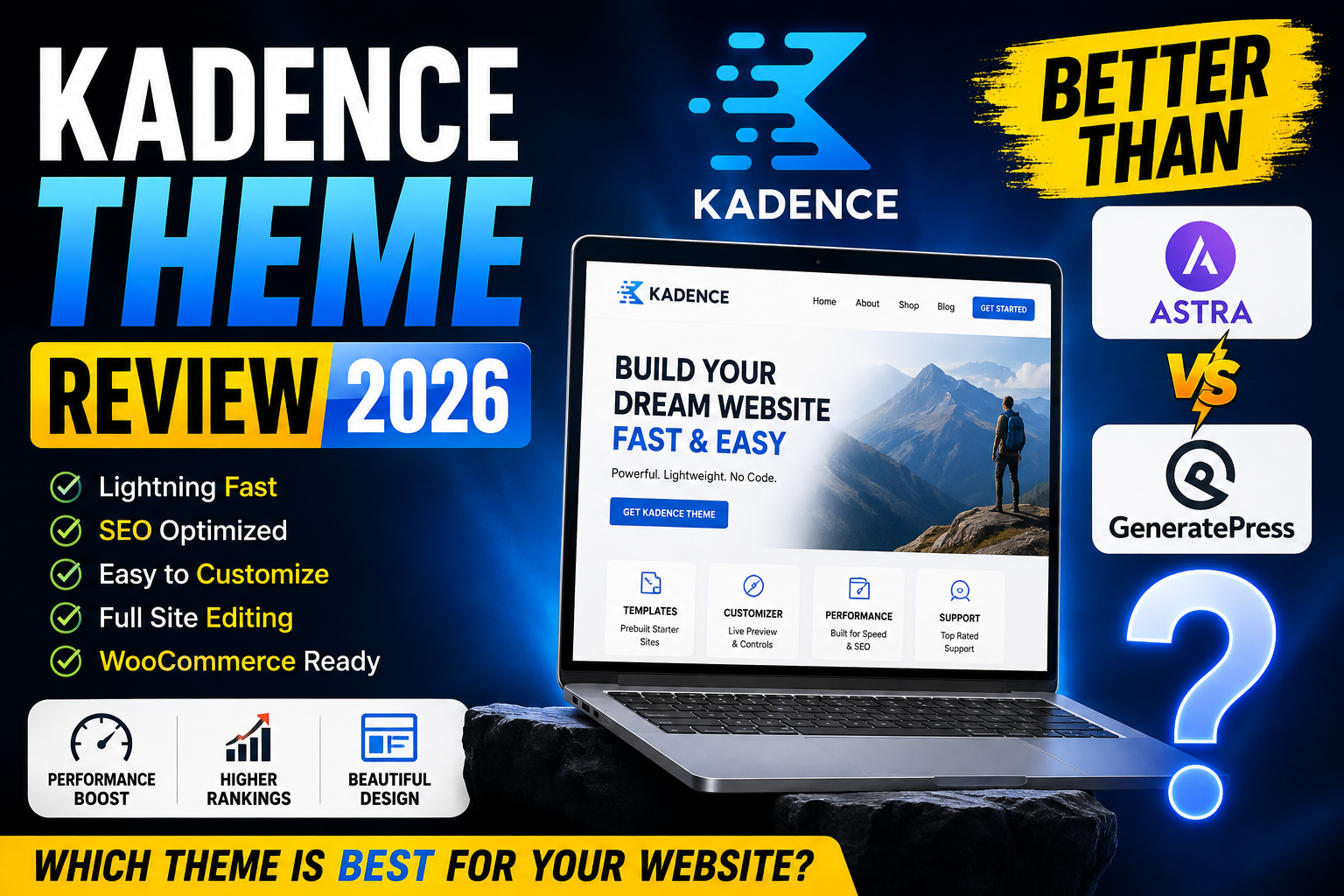
Choosing a WordPress theme in 2026 is no longer simply about finding a design that looks attractive.
A modern WordPress theme needs to provide a combination of performance, flexibility, responsive design, accessibility, customization, SEO-friendly structure, WooCommerce compatibility, block-editor support, starter templates, and long-term reliability.
That is exactly why three names continue to appear whenever website owners compare lightweight WordPress themes: Kadence, Astra, and GeneratePress.
But which one should you actually use?
In this detailed Kadence Theme Review 2026, I will examine Kadence from virtually every important angle, including its design options, performance, header and footer builder, typography controls, global colors, starter templates, Gutenberg integration, Kadence Blocks, WooCommerce capabilities, SEO features, pricing, ease of use, pros and cons, and overall value.
I will also compare Kadence vs Astra vs GeneratePress so you can determine which theme makes the most sense for your particular website.
As of July 2026, the free Kadence theme listed on WordPress.org is version 1.5.2, with 500,000+ active installations and a 4.9/5 rating. WordPress.org also identifies it as a lightweight, full-featured theme with accessibility support, a drag-and-drop header/footer builder, starter templates, global font and color controls, and integrations with popular third-party plugins.
My quick verdict
Kadence is one of the best all-around WordPress themes available in 2026, particularly for bloggers, affiliate marketers, business websites, creators, agencies, WooCommerce stores, and users who want a polished website without having to build everything from scratch.
But that does not automatically mean Kadence is better than Astra or GeneratePress for everyone.
If you prioritize visual customization and an excellent balance between design and performance, Kadence is extremely compelling.
If you want a huge ecosystem and broad compatibility, Astra remains a powerful competitor.
If your number-one priority is a minimalist performance-focused foundation and highly controlled block-based development, GeneratePress can still be the better choice.
So let’s examine the differences in detail.
What Is Kadence Theme?
Kadence Theme is a lightweight WordPress theme developed by Kadence WP. It is designed to provide a relatively lightweight foundation while still offering substantial customization options through the WordPress Customizer and its broader Kadence ecosystem.
The free theme is available through WordPress.org, while premium Kadence products extend the platform with additional design, marketing, WooCommerce, block-building, and site-management functionality.
One of Kadence’s strongest selling points is that it tries to occupy the middle ground between two extremes.
On one side, you have extremely minimalist themes that emphasize speed but may require additional plugins or custom development for sophisticated designs.
On the other side, you have enormous multipurpose themes that provide hundreds of options but can become unnecessarily complicated.
Kadence attempts to give you substantial design control without turning the theme itself into an enormous page-builder-style system.
That approach makes it particularly interesting for users who want to build professional websites using WordPress’s native block editor.
Kadence also works particularly well with Kadence Blocks, a companion block plugin that adds more sophisticated layout and content-building capabilities to Gutenberg. The Kadence Blocks plugin had more than 600,000 active installations in July 2026 and continued receiving updates throughout 2026.
Kadence Theme Review 2026: Key Features at a Glance
Before going deep into individual features, here’s what makes Kadence interesting:
| Feature | Kadence |
|---|---|
| Free version | Yes |
| Premium version | Yes |
| Header Builder | Yes |
| Footer Builder | Yes |
| Global Colors | Yes |
| Global Typography | Yes |
| Responsive Controls | Yes |
| Starter Templates | Yes |
| Gutenberg integration | Excellent |
| Kadence Blocks | Yes |
| WooCommerce support | Yes |
| Accessibility-focused | Yes |
| SEO-friendly structure | Yes |
| Custom layouts | Yes |
| Transparent header | Yes |
| Sticky header options | Yes |
| Mobile controls | Yes |
| Custom fonts | Premium ecosystem |
| Advanced WooCommerce features | Premium |
| Marketing/conversion tools | Premium ecosystem |
Kadence’s official feature documentation highlights performance-oriented architecture, responsive controls, header/footer builders, typography, layouts, global colors, buttons, breadcrumbs, and SEO-oriented markup.
Is Kadence Theme Free?
Yes.
The Kadence Theme has a free version that can be installed directly from the WordPress theme directory.
This is important because you don’t need to purchase a premium license simply to test the theme.
The free version provides a strong foundation for many websites, including:
- Blogs
- Personal websites
- Affiliate websites
- Small business websites
- Portfolio sites
- Content websites
- Basic WooCommerce stores
- News websites
- Service websites
- Creator websites
WordPress.org currently lists the free Kadence theme with 500,000+ active installations and a 4.9-star rating, making it one of the more established lightweight themes in the WordPress ecosystem.
However, the distinction between Kadence Theme and the broader Kadence premium ecosystem is important.
Premium products add functionality that becomes increasingly useful as your website becomes more complex.
Kadence Free vs Kadence Pro
The free theme is capable, but the premium ecosystem is where Kadence becomes significantly more powerful.
Premium functionality can provide additional controls for areas such as:
- Advanced headers
- Advanced navigation
- Custom layouts
- Dynamic content
- WooCommerce
- Post and archive customization
- Custom fonts
- Marketing elements
- Conversion tools
- Premium starter designs
- Additional block functionality
Kadence’s current product structure is broader than simply “free theme versus Pro theme.” Its plans bundle different Kadence products and services.
At the time of this review, Kadence lists plans including Express at $69/year, Plus at $169/year, and Ultimate at $299/year, with different site limits and product access. Kadence also offers a lifetime Ultimate option listed at $899 one time.
That means you should not automatically buy the largest package.
For many bloggers, the free Kadence theme may be sufficient.
For professional websites, WooCommerce projects, agencies, marketers, and users who need advanced design and conversion features, a premium package can make more sense.
Kadence Theme Performance
Performance is one of the biggest reasons people consider Kadence.
A beautiful website that takes too long to load creates a poor user experience.
Kadence approaches performance by attempting to keep the theme lightweight while loading resources according to the features being used. Its official documentation emphasizes component stylesheets, inline SVG icons, limited unnecessary JavaScript, and performance-focused architecture.
However, there is an important distinction:
A fast theme does not automatically create a fast website.
Your final website performance depends on much more than the theme.
For example:
- Hosting quality
- Image sizes
- Plugins
- Fonts
- Third-party scripts
- Advertising scripts
- Analytics
- Page-builder usage
- Caching
- CDN configuration
- Database performance
- WooCommerce functionality
- Video embeds
all affect performance.
Therefore, Kadence should be considered a strong performance foundation, not a magical solution that guarantees perfect PageSpeed scores.
Is Kadence Theme Fast?
Yes, Kadence is generally considered a lightweight and performance-oriented WordPress theme.
Its design philosophy is especially attractive to users who want a modern website without relying entirely on a large visual page builder.
Kadence’s official feature documentation describes its performance architecture as using only the resources required for the page and avoiding heavy JavaScript files.
This can be particularly useful for:
Bloggers: fewer unnecessary theme features can mean a cleaner foundation.
Affiliate marketers: fast-loading content pages can provide a better experience for visitors moving between articles and affiliate offers.
Business websites: faster pages make it easier to create professional sites without excessive technical overhead.
WooCommerce stores: minimizing unnecessary theme overhead can help when combined with appropriate hosting, caching, and optimization.
Kadence and Core Web Vitals
Core Web Vitals remain an important part of the modern web-performance conversation.
The important metrics include:
- Largest Contentful Paint (LCP)
- Interaction to Next Paint (INP)
- Cumulative Layout Shift (CLS)
Kadence can provide a solid foundation for achieving good performance because the theme itself is designed around lightweight implementation.
But don’t confuse that with a guarantee.
For example, installing a dozen plugins, loading multiple external font families, adding large hero images, embedding videos, using tracking scripts, and running advertising networks can dramatically change your site’s performance.
The smarter approach is to use Kadence as a performance-conscious foundation and then optimize the entire website.
Kadence Header Builder Review
One of Kadence’s strongest features is its Header Builder.
Instead of relying entirely on predefined header layouts, you can construct your header using a visual interface.
Kadence’s official feature documentation describes a drag-and-drop header builder with multiple elements, live editing, design options, responsive controls, and support for transparent and sticky headers.
This gives you considerably more flexibility than a traditional theme header.
You can create layouts involving:
- Logo
- Primary navigation
- Search
- Social links
- Buttons
- Account links
- Mobile navigation
- HTML elements
- Widgets
- Additional header rows
This becomes particularly useful for affiliate websites and business websites, where the header needs to do more than simply display a logo and menu.
Why the Kadence Header Builder Matters
A header is one of the most important areas of your website.
It influences:
- Branding
- Navigation
- User experience
- Mobile usability
- Conversion
- Site hierarchy
- Accessibility
A good header can make a relatively simple website feel professionally designed.
Kadence gives you enough control to create:
Minimal blog headers
Magazine-style headers
Business headers
E-commerce navigation
Sticky navigation
Transparent hero headers
Mobile-friendly navigation
without necessarily installing a separate header-building plugin.
That is a major advantage.
Kadence Footer Builder
Kadence also includes a Footer Builder.
This lets you create customized footer structures instead of being locked into a generic footer.
You can build sections for:
- Logo
- Copyright
- Navigation
- Social icons
- Widgets
- Contact information
- Calls to action
- Additional content
For affiliate websites, this can be especially useful because your footer can contain:
- About links
- Privacy Policy
- Disclaimer
- Affiliate Disclosure
- Contact page
- Popular categories
- Social profiles
A good footer also improves website navigation and gives visitors additional pathways through your content.
Kadence Global Color Palette
Another feature I particularly like about Kadence is its approach to global colors.
Instead of individually editing every button, heading, link, and section, you can establish a global color system.
This is useful for maintaining brand consistency.
For example, imagine your website uses:
- Primary brand color
- Secondary brand color
- Heading color
- Body text color
- Accent color
- Button background
- Button hover color
If you later change your brand’s primary color, centralized color controls make the process much easier.
Kadence’s feature set specifically includes a global color palette and site-wide color controls.
For designers, this is a significant advantage.
Kadence Typography Controls
Typography can completely change how a website feels.
Kadence provides extensive typography controls for:
- Body text
- Headings
- Navigation
- Buttons
- Links
- Other interface elements
The official documentation states that Kadence allows typography to be configured from the Customizer, including font selection, sizing, styling, and transformations.
This means you can create a much more distinctive design without modifying theme files.
For a content-heavy website, typography is especially important because readability affects the entire visitor experience.
A good typography system should establish:
H1 → H2 → H3 → body → captions → metadata
with consistent sizing and spacing.
Kadence makes this relatively straightforward.
Kadence Responsive Design
Modern websites must work properly across:
- Desktop
- Laptop
- Tablet
- Mobile
- Large monitors
Kadence includes responsive controls that allow different design settings for different screen sizes.
This matters because desktop design doesn’t always translate perfectly to mobile.
For example, a desktop header might contain:
Logo + six navigation items + search + CTA button
while mobile may need:
Logo + menu icon
Kadence gives you controls to manage these different experiences.
Kadence Starter Templates
Not everyone wants to start from a blank WordPress installation.
This is where starter templates become valuable.
Kadence provides pre-designed starter websites that allow users to import a foundation and customize it.
This can dramatically reduce the amount of time required to create a professional-looking website.
Instead of spending hours building:
- Header
- Hero section
- About section
- Services
- Testimonials
- Contact
- Footer
you can import a suitable starter design and replace the demo content.
The result is not necessarily your final website, but it gives you a strong starting point.
Are Kadence Starter Templates Good?
Yes, particularly if you are a beginner.
Starter templates can help you understand how professional WordPress layouts are structured.
They are also useful for:
- Freelancers
- Agencies
- Bloggers
- Small businesses
- Coaches
- Consultants
- Designers
- Affiliate marketers
- E-commerce businesses
Kadence’s current ecosystem also includes premium starter templates and design libraries. Its pricing information says the paid plans provide access to premium designs and starter sites, with higher plans offering substantially broader design libraries.
Kadence Blocks Review
If you’re planning to use Gutenberg, Kadence Blocks is one of the most important parts of the Kadence ecosystem.
Kadence Blocks extends WordPress’s native block editor with additional layout and design functionality.
It can help you create more advanced layouts without necessarily installing Elementor or another large visual page builder.
The plugin had 600,000+ active installations and continued receiving updates in July 2026.
This is significant because it demonstrates that Kadence isn’t simply a theme.
It has evolved into a broader WordPress site-building ecosystem.
Kadence vs Elementor
This is an interesting comparison because Kadence and Elementor approach website creation differently.
Kadence + Gutenberg/Kadence Blocks focuses more heavily on the native WordPress block ecosystem.
Elementor provides a dedicated visual page-building environment.
For users who want maximum visual drag-and-drop control, Elementor can still be attractive.
But if you prefer:
- Native WordPress editing
- Less dependency on a large page builder
- Block-based content
- Lightweight site-building
- Global styles
then Kadence + Kadence Blocks can be an excellent combination.
Kadence WooCommerce Support
If you’re building an online store, theme compatibility with WooCommerce becomes extremely important.
Kadence supports e-commerce websites, and the broader Kadence ecosystem includes Shop Kit with additional WooCommerce-oriented functionality. WordPress.org lists e-commerce support as part of the Kadence theme’s feature set.
The premium Kadence ecosystem adds features such as:
- Product templates
- Advanced product reviews
- Variation swatches
- Custom gallery layouts
- Product badges
- Size charts
- Custom tabs
- Quick view
These are listed among the e-commerce capabilities in Kadence’s Ultimate plan.
For WooCommerce users, this can significantly reduce the need for multiple independent plugins.
Is Kadence Good for Affiliate Websites?
Yes.
In fact, Kadence is particularly well suited to content-driven affiliate websites.
Affiliate websites usually need:
- Fast article pages
- Excellent typography
- Attractive comparison tables
- Strong calls to action
- Responsive layouts
- Easy navigation
- Author sections
- Related posts
- Product sections
- Review boxes
- Mobile optimization
Kadence provides a strong foundation for these requirements.
Combined with Gutenberg and Kadence Blocks, you can create:
Product comparison sections
Pros and cons boxes
CTA buttons
Feature cards
Review sections
Affiliate disclosure areas
Pricing tables
Author boxes
without necessarily relying on a heavyweight page builder.
For content creators, that is a major advantage.
Is Kadence Good for Blogging?
Absolutely.
Kadence is one of the themes I would consider for a modern content-focused website.
It provides controls over:
- Blog layouts
- Archive layouts
- Typography
- Featured images
- Sidebars
- Content widths
- Header
- Footer
- Colors
- Buttons
- Responsive layouts
This allows you to create everything from a minimalist blog to a sophisticated magazine-style publication.
For a site publishing hundreds or thousands of articles, consistency becomes extremely important.
Kadence’s global design controls can make maintaining that consistency considerably easier.
Kadence for News Websites
Kadence can also work well for news and magazine websites.
You can combine it with:
- Gutenberg
- Kadence Blocks
- Post grids
- Category archives
- Custom layouts
- Featured images
- Search
- Navigation
A news website typically needs to present large amounts of information without becoming visually chaotic.
Kadence’s layout controls can help create a clear content hierarchy.
Kadence for Business Websites
Kadence is also suitable for:
- Agencies
- Consultants
- SaaS companies
- Freelancers
- Local businesses
- Professional services
- Startups
- Personal brands
A business website needs a different structure from a blog.
Instead of focusing primarily on articles, it might require:
Hero → Services → Benefits → Testimonials → Portfolio → CTA → Contact
Kadence’s header, footer, global typography, colors, starter templates, and block ecosystem make this type of design relatively easy to implement.
Kadence for Portfolio Websites
Designers and developers can also benefit from Kadence.
The theme provides enough visual flexibility to create:
- Portfolio grids
- Case studies
- Project pages
- Image galleries
- About pages
- Services
- Testimonials
For a graphic designer, for example, typography and spacing controls can be just as important as raw theme performance.
Kadence performs well in this area because it provides substantial control without forcing users into one particular visual style.
Kadence SEO Features
A theme should provide a technically sound foundation for SEO.
Kadence documentation describes the theme as SEO optimized, with appropriate markup and schema-related implementation.
However, you should understand the distinction between:
SEO-friendly theme
and
complete SEO strategy.
Kadence can provide a good technical foundation, but you still need to manage:
- Titles
- Meta descriptions
- Internal links
- Content quality
- Search intent
- Structured data
- Image optimization
- Canonical URLs
- XML sitemaps
- Indexation
- Redirects
An SEO plugin such as Rank Math, Yoast SEO, or another suitable solution can handle many of these tasks.
Kadence Accessibility
Accessibility is another area where Kadence deserves attention.
WordPress.org identifies the theme as accessibility-ready, while Kadence’s own documentation discusses keyboard navigation, ARIA labels, focus control, and accessibility-oriented implementation.
This matters because accessibility isn’t simply about compliance.
Accessible websites can provide better experiences for:
- Keyboard users
- Screen-reader users
- Users with visual limitations
- Users navigating on mobile
- Users with cognitive limitations
Good typography, clear focus states, sensible navigation, and appropriate semantic structure all contribute to usability.
Kadence Theme Ease of Use
One of Kadence’s strongest advantages is its balance between simplicity and customization.
Beginners can start with a starter template.
Intermediate users can customize the theme through the Customizer.
Advanced users can combine Kadence with blocks, hooks, custom CSS, and additional plugins.
That creates a useful progression:
Beginner → Customize template
Intermediate → Build with blocks
Advanced → Create custom layouts
This makes Kadence suitable for a wide range of WordPress users.
Kadence Customizer
The WordPress Customizer remains an important part of Kadence’s design experience.
You can control many aspects of:
- Layout
- Typography
- Colors
- Header
- Footer
- Buttons
- Navigation
- Blog
- Pages
- Sidebars
The benefit is that you don’t necessarily have to edit theme files to make significant design changes.
For someone who understands design but doesn’t want to write PHP, this is extremely useful.
Kadence Theme Pricing in 2026
Pricing is one area where you should pay close attention because Kadence’s product structure has expanded considerably.
At the time of this review, Kadence lists:
Kadence Express
$69/year
Up to 3 sites, along with access to a collection of premium Kadence products and design functionality.
Kadence Plus
$169/year
Up to 10 sites and a significantly broader collection of Kadence products, including additional design, block, WooCommerce, marketing, and site-building features.
Kadence Ultimate
$299/year
Up to 25 sites, with the option to scale the site limit, plus access to a broader collection of advanced features.
Lifetime Ultimate
$899 one time
This provides lifetime access under the terms specified by Kadence.
Pricing can change, so verify the current price before purchasing.
Is Kadence Worth the Money?
For the right user, yes.
But I would not recommend buying the largest Kadence package simply because it contains the most features.
If you’re running a single blog, you may not need:
- Advanced conversion tools
- Extensive WooCommerce features
- Agency-oriented features
- Multiple-site functionality
- Every premium plugin
The free version may be enough.
If you’re running multiple websites or need advanced design and marketing functionality, the paid plans become more attractive.
Kadence vs Astra: Which Is Better?
Now we get to the comparison most readers are probably interested in.
Kadence vs Astra is a difficult competition because both are mature, lightweight WordPress themes with large ecosystems.
Astra emphasizes broad compatibility, extensive customization, starter templates, and integration with various WordPress tools.
Astra’s official feature documentation highlights features such as vanilla JavaScript, lazy loading, HTTP/2 compatibility, lightweight implementation, and multiple layout options.
Astra also offers premium functionality through Astra Pro and larger toolkit packages.
Kadence vs Astra: Design
If design flexibility is your primary concern, both are strong.
Kadence
Best known for:
- Global design controls
- Header/footer builder
- Typography
- Global colors
- Responsive customization
- Gutenberg integration
Astra
Best known for:
- Extensive customization
- Large starter-template ecosystem
- Broad page-builder compatibility
- WooCommerce features
- Extensive third-party ecosystem
Astra‘s current product ecosystem also includes bundles involving Astra Pro, Spectra, Ultimate Addons for Elementor, and starter templates.
Winner: Slight advantage to Kadence for users who prefer native WordPress/block-oriented workflows; Astra for users who want a broader ecosystem around multiple page-building tools.
Kadence vs Astra: Performance
Both themes are designed around performance.
Astra emphasizes lightweight code, vanilla JavaScript, lazy loading, and resource efficiency.
Kadence similarly emphasizes lightweight architecture and loading only necessary resources.
In a real website, however, the difference between them may be much smaller than the difference caused by:
- Hosting
- Plugins
- Images
- Fonts
- Caching
- CDN
- Scripts
Winner: Tie.
Both can provide an excellent performance foundation.
Kadence vs Astra: Gutenberg
This is where Kadence becomes particularly interesting.
Kadence has a very strong relationship with Gutenberg through Kadence Blocks.
Astra also has a powerful block ecosystem through Spectra.
So the competition is not simply:
Kadence vs Astra
It is increasingly:
Kadence + Kadence Blocks vs Astra + Spectra
Both combinations are capable.
Winner: Tie, with the better choice depending largely on your preferred workflow.
Kadence vs Astra: WooCommerce
Both themes are strong WooCommerce options.
Astra has a mature WooCommerce feature set.
Kadence’s ecosystem also offers extensive WooCommerce functionality through Shop Kit and related products. Kadence’s current Ultimate plan includes features such as advanced product reviews, variation swatches, custom galleries, product badges, size charts, quick view, and other e-commerce capabilities.
Winner: Tie, with the exact choice depending on which WooCommerce workflow and additional plugins you prefer.
Kadence vs GeneratePress
The third major competitor is GeneratePress.
GeneratePress has built an extremely strong reputation around:
- Performance
- Stability
- Accessibility
- Clean implementation
- Developer friendliness
- Block-based site building
The official GeneratePress website currently describes the theme as lightweight and focused on speed, stability, and accessibility. It also advertises a very small theme footprint and a block-based theme-building workflow.
Kadence vs GeneratePress: Performance
This is a difficult battle.
GeneratePress has historically been one of the strongest performance-focused WordPress themes.
GeneratePress states that its theme is approximately 7.5 KB in size, uses 2 HTTP requests, and has zero dependencies in the configuration described on its official site.
Kadence is also performance-focused.
If you care about squeezing maximum performance out of a minimalist website, GeneratePress deserves serious consideration.
Winner: GeneratePress, particularly for performance-focused minimal builds.
But the practical difference on a well-optimized website may not be dramatic.
Kadence vs GeneratePress: Design Flexibility
This is where Kadence starts to pull ahead for many users.
GeneratePress is highly customizable, but its philosophy tends to favor controlled, modular development.
Kadence feels more immediately visual.
You can easily manipulate:
- Header
- Footer
- Typography
- Colors
- Buttons
- Layouts
- Responsive behavior
GeneratePress also offers hundreds of customization controls and a block-based theme builder through its premium ecosystem.
Winner: Kadence for many non-developers and visual designers.
Kadence vs GeneratePress: Block Building
This is much closer.
GeneratePress now has a sophisticated block-based workflow involving GenerateBlocks.
GeneratePress One includes:
- GP Premium
- GenerateBlocks Pro
- GenerateCloud
- Starter sites
- Design patterns
- Future products
GeneratePress currently lists GeneratePress One at $149/year, while GP Premium is separately listed at $59/year.
Kadence has a comparable ecosystem involving:
- Kadence Theme
- Kadence Blocks
- Starter templates
- Premium design tools
- WooCommerce tools
- Conversion tools
Winner: Tie.
Kadence vs GeneratePress: Beginners
For a beginner, Kadence may feel easier.
Why?
Because Kadence provides many visual controls directly through its interface.
GeneratePress is extremely powerful, but users who want complete control may need to understand concepts such as:
- Elements
- Hooks
- Block elements
- Dynamic content
- Layout systems
This is not a criticism.
It is simply a difference in philosophy.
Winner for beginners: Kadence
Winner for advanced developers: GeneratePress
Kadence vs Astra vs GeneratePress Comparison
| Feature | Kadence | Astra | GeneratePress |
|---|---|---|---|
| Free version | Yes | Yes | Yes |
| Performance | Excellent | Excellent | Exceptional |
| Design flexibility | Excellent | Excellent | Excellent |
| Gutenberg | Excellent | Excellent | Excellent |
| Header Builder | Excellent | Excellent | Excellent |
| Footer Builder | Excellent | Excellent | Excellent |
| Starter templates | Excellent | Excellent | Excellent |
| WooCommerce | Excellent | Excellent | Excellent |
| Beginner friendly | Excellent | Excellent | Good |
| Developer friendly | Excellent | Excellent | Excellent |
| Global colors | Excellent | Excellent | Excellent |
| Global typography | Excellent | Excellent | Excellent |
| Block ecosystem | Kadence Blocks | Spectra | GenerateBlocks |
| Best for bloggers | Excellent | Excellent | Excellent |
| Best for agencies | Excellent | Excellent | Excellent |
| Best for minimalist sites | Excellent | Excellent | Exceptional |
| Best for visual customization | Excellent | Excellent | Very good |
| Overall | 9.5/10 | 9.4/10 | 9.4/10 |
These scores are editorial judgments rather than official ratings.
Kadence Theme Pros
Let’s summarize the biggest advantages.
1. Excellent Performance Foundation
Kadence is designed to remain lightweight while providing substantial customization.
2. Outstanding Header Builder
The header builder is one of Kadence’s strongest features.
3. Powerful Global Controls
Global colors, typography, buttons, and layouts make consistent design easier.
4. Strong Gutenberg Integration
Kadence Blocks makes the native WordPress editor substantially more capable.
5. Excellent Starter Templates
Beginners can launch websites quickly.
6. Strong WooCommerce Compatibility
Kadence is a serious option for online stores.
7. Responsive Controls
You can tailor layouts to desktop, tablet, and mobile.
8. Good Accessibility Focus
The theme is accessibility-ready and includes accessibility-oriented implementation.
9. Suitable for Many Website Types
You can use it for blogs, affiliate sites, portfolios, businesses, stores, and more.
10. Strong Long-Term Ecosystem
Kadence isn’t just a theme anymore. It is an expanding WordPress product ecosystem.
Kadence Theme Cons
No theme is perfect.
1. The Premium Ecosystem Can Become Expensive
If you want every Kadence product, the annual cost can become significant.
The Ultimate plan is currently listed at $299/year, while the Lifetime Ultimate plan is $899 one time.
2. Too Many Options for Beginners
Ironically, one of Kadence’s biggest strengths can also become a weakness.
There are so many customization possibilities that new users may initially feel overwhelmed.
3. You May Not Need Premium
Many websites can run perfectly well on the free theme.
Buying premium products without needing their features is unnecessary.
4. Plugin Ecosystem Complexity
Once you start adding Kadence Blocks, Shop Kit, Conversions, Insights, and other tools, you need to understand exactly which components your website actually requires.
5. GeneratePress Can Be More Minimal
If absolute simplicity is your primary goal, GeneratePress may appeal more to you.
Who Should Use Kadence?
I would strongly consider Kadence if you are:
A Blogger
You get excellent typography, layouts, headers, footers, and article presentation.
An Affiliate Marketer
Kadence works particularly well for review sites, comparison websites, and content-heavy affiliate businesses.
A Web Designer
You get enough design control to build customized websites without starting everything from scratch.
A Small Business Owner
Starter templates can reduce the amount of time needed to launch a professional website.
A WooCommerce Store Owner
Kadence provides a strong WooCommerce foundation and additional premium functionality.
A Content Creator
Gutenberg and Kadence Blocks make content creation efficient.
A Freelancer
The broader ecosystem can help you build different types of client websites.
Who Should Avoid Kadence?
Kadence may not be the ideal choice if:
- You want an extremely minimalist theme with almost no configuration.
- You already have a theme you love.
- You require a specialized niche theme.
- You don’t need any customization.
- You want to use a completely different website-building workflow.
- You’re trying to minimize recurring software costs.
In those cases, another theme may be more appropriate.
Is Kadence Better Than Astra?
For some users, yes.
Kadence has a particularly attractive combination of:
Performance + design flexibility + Gutenberg integration + global controls + starter templates.
Astra remains an excellent competitor and has a broader ecosystem around multiple page builders and products.
If you are starting a modern content website today and prefer Gutenberg, I would give Kadence a slight edge.
Is Kadence Better Than GeneratePress?
Again, it depends.
If your priority is:
Maximum minimalism + performance + developer control
I would lean toward GeneratePress.
If your priority is:
Visual customization + ease of use + design flexibility + Gutenberg
I would lean toward Kadence.
Is Kadence Theme Good for SEO?
Yes.
Kadence provides a strong SEO-friendly technical foundation, but your SEO results depend heavily on your complete website architecture and content.
For an SEO-focused site, I would pair Kadence with:
- A quality SEO plugin
- Optimized images
- Good hosting
- Caching
- CDN
- Clean internal linking
- Structured content
- Descriptive URLs
- Helpful content
- Strong author information
The theme is the foundation—not the entire SEO strategy.
Is Kadence Good for Core Web Vitals?
Yes, Kadence is a strong candidate for a Core Web Vitals-conscious website.
Its lightweight architecture and performance-focused approach make it suitable for fast websites. Kadence specifically positions the theme around performance, responsive controls, optimized assets, and efficient loading.
However, the final result depends on your implementation.
A fast theme with a slow host and 30 plugins can still produce a slow website.
A well-configured Kadence website with optimized assets, good hosting, caching, and minimal third-party scripts can be extremely fast.
Kadence Theme for Bloggers: My Verdict
For blogging, Kadence gets a strong recommendation from me.
Why?
Because a blog needs a theme that stays out of the way of the content.
You want:
- Readable typography
- Comfortable content width
- Attractive featured images
- Clean archives
- Good mobile presentation
- Easy navigation
- Fast pages
- Flexible sidebars
- Professional headers and footers
Kadence delivers these requirements very well.
Kadence Theme for Affiliate Marketing: My Verdict
For affiliate marketers, I would rate Kadence even higher.
Affiliate websites often require a combination of:
SEO + speed + content + conversion + design.
Kadence provides a good foundation for all five.
You can build:
- Product review websites
- Hosting review websites
- Software review sites
- Comparison websites
- Coupon sites
- SaaS affiliate websites
- Niche blogs
The theme is flexible enough to support different content models without forcing every website into the same design.
Kadence Theme for WooCommerce: My Verdict
For WooCommerce, Kadence is also an excellent option.
The basic theme provides e-commerce support, while premium Kadence products can expand WooCommerce functionality significantly.
If you’re building a serious store, compare the cost of Kadence’s ecosystem against the cost of buying multiple WooCommerce extensions separately.
Sometimes the bundle can make sense.
Kadence Theme for Designers: My Verdict
For designers, Kadence is one of the more interesting lightweight WordPress themes.
You get:
- Global colors
- Typography
- Layout controls
- Header builder
- Footer builder
- Responsive controls
- Starter templates
- Custom CSS possibilities
- Block-based design
This provides enough flexibility to create a unique visual identity.
What I Like Most About Kadence
The thing I like most about Kadence is its balance.
It doesn’t force you to choose between:
Fast but boring
and
Beautiful but bloated.
Instead, it attempts to provide both performance and customization.
The header builder is excellent.
The global design controls are excellent.
The Gutenberg integration is excellent.
And the starter templates make the theme accessible to beginners.
What I Don’t Like About Kadence
My biggest concern is the growing complexity of the ecosystem.
Kadence has evolved from being a simple theme into a much larger platform containing themes, blocks, WooCommerce tools, conversion tools, design libraries, AI-related features, and hosting offerings.
That’s powerful.
But it also means beginners can become confused about:
Which product do I actually need?
My recommendation is simple:
Start with the free theme.
Add Kadence Blocks if you need more block-building functionality.
Only purchase premium products when you have identified a specific problem they solve.
Kadence Theme Review 2026: Final Score
Here is my overall rating:
| Category | Rating |
|---|---|
| Performance | 9.5/10 |
| Design flexibility | 9.7/10 |
| Ease of use | 9.5/10 |
| Gutenberg integration | 9.7/10 |
| Starter templates | 9.5/10 |
| WooCommerce | 9.3/10 |
| SEO foundation | 9.3/10 |
| Accessibility | 9.4/10 |
| Customization | 9.7/10 |
| Value | 9.0/10 |
| Overall | 9.5/10 |
Final Verdict: Should You Use Kadence Theme in 2026?
Yes—Kadence is absolutely worth considering in 2026.
After looking at its performance philosophy, customization system, header and footer builders, typography, global colors, responsive controls, starter templates, Gutenberg integration, Kadence Blocks ecosystem, WooCommerce capabilities, and pricing, I consider Kadence one of the strongest general-purpose WordPress themes available today.
But the most important question isn’t:
“Is Kadence the best WordPress theme?”
The better question is:
“Is Kadence the best WordPress theme for the way I want to build my website?”
For bloggers, affiliate marketers, designers, businesses, creators, and WooCommerce users, the answer can absolutely be yes.
If you want a combination of speed, design flexibility, professional customization, Gutenberg compatibility, and a growing ecosystem, Kadence deserves to be near the top of your shortlist.
My recommendation
Choose Kadence if you want:
- A lightweight foundation
- Excellent design controls
- A powerful header/footer builder
- Strong Gutenberg integration
- Global typography and colors
- Responsive controls
- Professional starter templates
- WooCommerce support
- A scalable ecosystem
Choose Astra if you want:
- A huge established ecosystem
- Broad page-builder compatibility
- Extensive starter templates
- A mature all-purpose WordPress solution
Choose GeneratePress if you want:
- Extremely strong performance
- Minimalism
- Stability
- Developer-oriented flexibility
- Block-based theme building
My overall winner for most users: Kadence
For a new content-focused WordPress website in 2026, Kadence would be one of my first choices.
It provides the right combination of performance and flexibility without requiring you to turn your website into an unnecessarily complicated page-builder project.
And that is ultimately what makes Kadence so attractive.
It gives you room to grow.
You can begin with the free theme.
Build your first blog.
Customize the typography.
Create your header.
Add your brand colors.
Import a starter template.
Publish content.
Add Kadence Blocks when necessary.
Expand into affiliate marketing.
Add WooCommerce if your business evolves.
Introduce advanced functionality only when you actually need it.
That progressive approach makes Kadence particularly suitable for modern WordPress users.
So, is Kadence better than Astra and GeneratePress?
Not universally—but for users who want the sweet spot between performance, flexibility, Gutenberg, and visual design, Kadence may be the better choice.
And in 2026, that’s a very compelling reason to give it a serious look.
Frequently Asked Questions About Kadence Theme
Is Kadence Theme free?
Yes. Kadence has a free WordPress theme available through WordPress.org. Premium Kadence products provide additional functionality, templates, design controls, WooCommerce features, and other tools.
Is Kadence better than Astra?
Kadence can be better than Astra for users who prioritize Gutenberg, global design controls, and a streamlined visual customization workflow. Astra remains an excellent option for users who value its large ecosystem and broad integrations.
Is Kadence better than GeneratePress?
It depends on your priorities. Kadence is generally more visually oriented, while GeneratePress is particularly strong for users who prioritize minimalist performance and developer-oriented control.
Is Kadence fast?
Yes. Kadence is designed as a lightweight, performance-oriented theme and emphasizes efficient loading and optimized theme architecture.
Is Kadence good for SEO?
Yes. Kadence provides an SEO-friendly foundation, but you should still use an appropriate SEO plugin and optimize your site’s content, internal links, images, performance, and technical configuration.
Is Kadence good for WooCommerce?
Yes. Kadence supports WooCommerce and its premium ecosystem includes additional e-commerce functionality such as product customization, variation swatches, product reviews, galleries, badges, and more.
Is Kadence good for affiliate marketing?
Yes. Kadence is particularly suitable for affiliate websites because it combines speed, flexible layouts, typography controls, buttons, block-building capabilities, and responsive design.
Does Kadence work with Gutenberg?
Yes. Kadence works exceptionally well with Gutenberg, and Kadence Blocks expands the native WordPress block editor with additional design and layout functionality.
Do I need Kadence Pro?
No. Many websites can use the free Kadence theme successfully. Upgrade only when you need premium features.
How much does Kadence cost?
Kadence’s current paid plans include Express at $69/year, Plus at $169/year, and Ultimate at $299/year, while the Lifetime Ultimate option is listed at $899 one time. Pricing and product availability can change, so check the official pricing page before purchasing.
Can I use Kadence for multiple websites?
Yes. Kadence’s premium plans provide different site limits. For example, the current Plus plan supports up to 10 sites, while Ultimate supports up to 25 sites, with additional scalability options.
Does Kadence support mobile devices?
Yes. Kadence includes responsive design controls that allow you to customize your website for different screen sizes.
Is Kadence good for beginners?
Yes. Starter templates and visual customization controls make Kadence relatively beginner-friendly, while advanced users can take advantage of its more sophisticated customization and block-building features.
Conclusion
The WordPress theme market is crowded, but Kadence has earned its place among the leading lightweight WordPress themes of 2026.
Its greatest strength isn’t one individual feature.
It is the combination of:
Performance + flexibility + design control + Gutenberg + starter templates + WooCommerce + responsive controls.
That’s why Kadence is such a strong choice for modern websites.
If you’re building a new blog, affiliate website, business website, portfolio, personal brand, or online store, I would absolutely include Kadence, Astra, and GeneratePress on your shortlist.
For most users, however, my recommendation is:
Kadence — 9.5/10
Best overall choice for users who want a balance of performance, customization, and ease of use.
GeneratePress — 9.4/10
Best for performance-focused and developer-oriented users.
Astra — 9.4/10
Best for users who want a broad ecosystem and extensive third-party/page-builder compatibility.
Ultimately, the best theme is the one that lets you build the website you need without adding unnecessary complexity.
And for a large number of WordPress users in 2026, Kadence does exactly that.
Verdict: Recommended.
Ready to build a faster, more flexible WordPress website? Try Kadence, start with the free version, and upgrade only when you need its advanced features.