

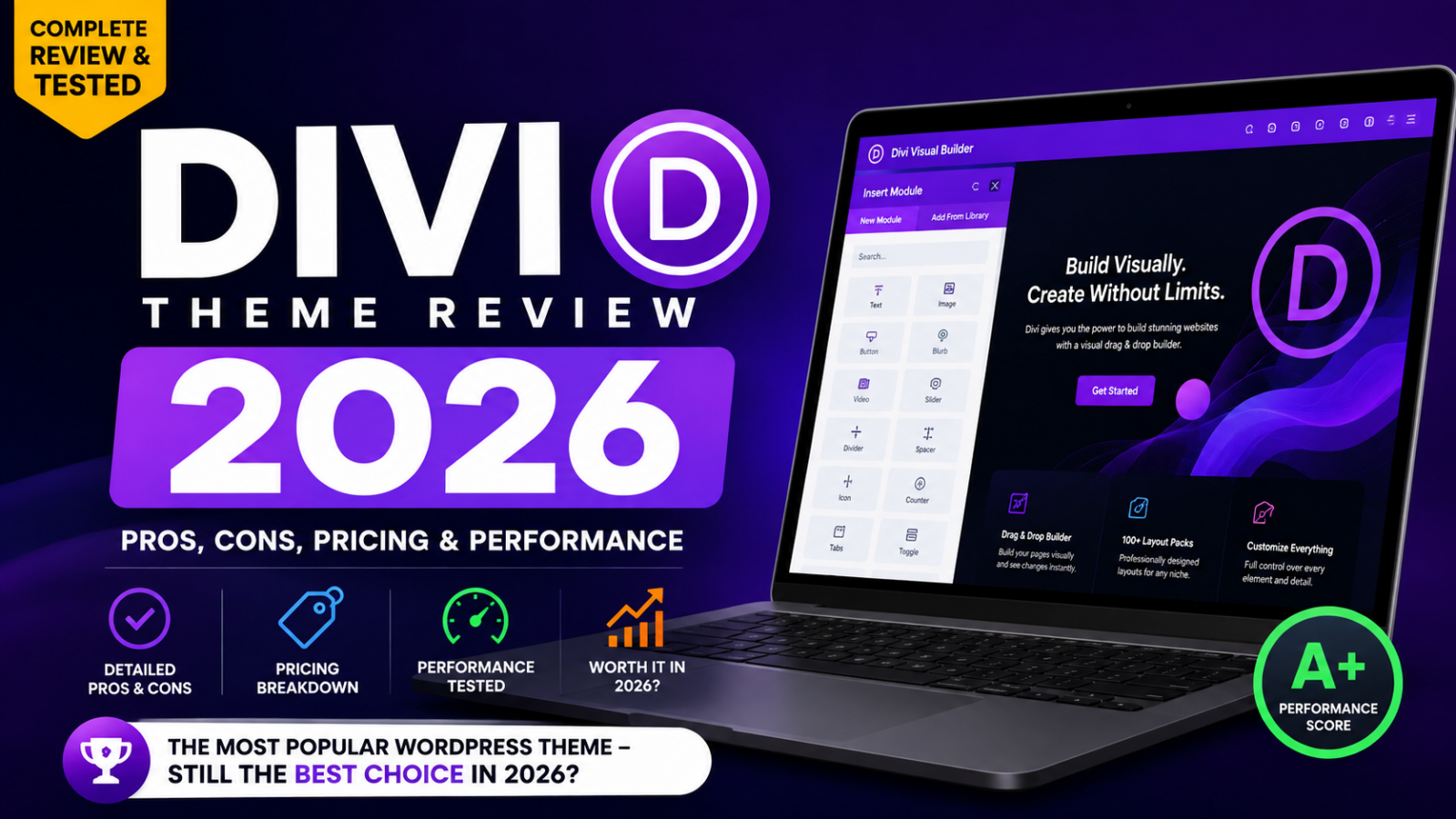
Divi has been one of the most recognizable names in WordPress website design for more than a decade. But 2026 represents a particularly important year for the platform because Divi 5 has officially moved out of beta and become the foundation of Elegant Themes’ future.
That changes the question.
The question is no longer simply:
Is Divi a good WordPress theme?
The more useful question is:
Is Divi 5 now a genuinely competitive, fast, flexible, and cost-effective website-building platform for WordPress in 2026?
After evaluating the current Divi ecosystem, its pricing, visual builder, Theme Builder, performance architecture, design system, WooCommerce capabilities, AI features, SEO considerations, workflow, compatibility, and limitations, the answer is yes—with a few important qualifications.
Divi 5 is dramatically more modern than the Divi many WordPress users remember.
Elegant Themes officially ended the Divi 5 beta phase on February 26, 2026, following more than a year of public testing. The company has continued releasing frequent updates, including Divi 5.9 in July 2026.
The result is a platform that combines:
- Visual drag-and-drop website building
- Full Theme Builder functionality
- Responsive design controls
- CSS Grid
- Flexbox
- Global presets
- Design variables
- WooCommerce integration
- Pre-built layouts
- Quick Sites
- Divi AI
- Divi Cloud
- Divi Dash
- Unlimited website usage
- Lifetime licensing
- 24/7 customer support
And perhaps most importantly, Divi 5 was rebuilt around a new technical foundation designed specifically to improve performance, scalability, and extensibility.
That makes 2026 one of the most interesting times to consider Divi.
In this comprehensive review, we will examine exactly what you get, where Divi excels, where it still falls short, who should use it, who should avoid it, and whether the Divi Lifetime plan is worth the money.
Divi Theme Review 2026: Quick Verdict
If you want the short version before reading the full review, here it is:
Divi 5 is one of the strongest all-in-one WordPress website-building solutions available in 2026, particularly for freelancers, agencies, bloggers, small businesses, marketers, designers, and users who want unlimited website usage under one license.
Our overall rating: 9.2/10
| Category | Rating |
|---|---|
| Ease of Use | 9/10 |
| Design Flexibility | 10/10 |
| Theme Builder | 10/10 |
| Templates | 10/10 |
| Performance | 9/10 |
| SEO | 9/10 |
| WooCommerce | 9/10 |
| Responsive Design | 10/10 |
| AI Features | 9/10 |
| Support | 9.5/10 |
| Value for Money | 10/10 |
| Agency/Freelancer Use | 10/10 |
| Beginner Friendliness | 8.5/10 |
| Overall | 9.2/10 |
Best for: freelancers, agencies, bloggers, business owners, marketers, designers, WooCommerce stores, and anyone building multiple WordPress websites.
Not ideal for: users who want the absolute simplest WordPress experience with virtually no learning curve, or developers who prefer a minimalist block-first workflow without a visual builder ecosystem.
What Is Divi?
Divi is a WordPress theme and visual page builder developed by Elegant Themes.
Unlike a conventional WordPress theme, Divi gives you control over much more than colors, typography, headers, and basic layout settings.
You can visually design almost the entire website.
That includes:
- Headers
- Footers
- Blog templates
- Category archives
- Search pages
- Product pages
- WooCommerce layouts
- Landing pages
- Portfolio pages
- About pages
- Contact pages
- Sales pages
- Author pages
- Custom post layouts
- Popups
- Navigation
- Buttons
- Forms
- Pricing tables
- Galleries
- Testimonials
- Calls to action
The important distinction is that Divi is not simply a theme anymore.
It is better understood as a complete visual website-building framework for WordPress.
Elegant Themes describes Divi as combining a no-code visual interface with WordPress flexibility, while its current product ecosystem also includes Divi AI, Divi Cloud, Divi Dash, Divi VIP, Divi Teams, and other services.
The current Divi ecosystem also advertises 200+ content elements and 2,000+ layouts, giving users a substantial library of starting points.
Divi 5: The Biggest Change in 2026
If you used Divi several years ago and remember it as a powerful but sometimes heavy WordPress builder, Divi 5 deserves a fresh evaluation.
Divi 5 isn’t merely a cosmetic update.
Elegant Themes rebuilt the underlying architecture with a focus on:
- Performance
- Scalability
- Stability
- Extensibility
- Modern CSS
- Modular JavaScript
- Better developer APIs
- Improved editing workflows
The company originally described Divi 5 as a foundational rewrite rather than simply a feature update.
That distinction matters.
A page builder can add hundreds of features while becoming slower and more difficult to maintain. Divi 5 instead attempts to improve the underlying system while expanding the design toolkit.
And that is why the Divi 5 release is arguably more important than any individual feature.
Divi 5 Is Officially Out of Beta
This is one of the most important updates to understand if you are researching Divi in 2026.
Divi 5 officially exited beta on February 26, 2026. Elegant Themes stated that the platform had undergone more than a year of public testing and improvement before the official release.
That doesn’t mean Divi 5 stopped changing.
Quite the opposite.
Elegant Themes has continued pushing regular updates and new functionality.
Recent additions include:
- CSS Grid Editor
- Variable font support
- New text styling controls
- Customizable workspaces
- Gradient improvements
- New modules
- Image framing
- Image presets
- Advanced sizing variables
- Color variables
- Flexbox improvements
- Theme Builder editing
- Complete site editing capabilities
Elegant Themes’ July 2026 updates include the new CSS Grid Editor, while variable fonts and expanded text styling arrived in June.
This makes Divi 5 in 2026 considerably more mature than the early beta versions.
Divi Theme Pricing 2026
One of Divi’s biggest competitive advantages is its licensing model.
At the time of writing, Elegant Themes lists the standard Divi plan at $89 per year, with unlimited website usage. The company also lists a Divi Lifetime plan at $249 as a one-time payment.
Current Divi pricing
| Plan | Price | Website Usage | Updates | Support |
|---|---|---|---|---|
| Divi Yearly | $89/year | Unlimited | Included | Included |
| Divi Lifetime | $249 one-time | Unlimited | Lifetime | Lifetime |
| Divi Pro | $277/year | Unlimited | Included | Priority/VIP features |
| Divi Lifetime + Pro | $297 initially + recurring Pro services | Unlimited | Lifetime Divi | Pro services |
The exact Pro bundle and promotional pricing can change, so prospective buyers should verify the current offer before purchasing. The official pricing page currently lists Divi Pro at $277 billed yearly and the Lifetime plan at $249 one time.
Check the official Divi pricing page
Is Divi Lifetime Worth It?
For anyone planning to build multiple WordPress websites, the Divi Lifetime plan is one of the most compelling licensing options in the page-builder market.
At $249, the lifetime plan effectively becomes cheaper than paying $89 annually after roughly three years.
After that point, the economics become particularly attractive.
For example:
- 1 year: $89
- 2 years: $178
- 3 years: $267
- 4 years: $356
- 5 years: $445
- 10 years: $890
The lifetime plan is currently listed at $249, meaning long-term users can potentially save substantially compared with continuing the annual subscription.
There is another major advantage:
Divi licenses allow unlimited website usage.
That is extremely important for:
- Web designers
- Freelancers
- Agencies
- WordPress consultants
- Affiliate marketers
- Website developers
- Entrepreneurs running multiple websites
Elegant Themes explicitly states that Divi can be used on unlimited websites, including client websites.
Divi Pro: Is It Necessary?
No.
Most users do not need Divi Pro to use Divi effectively.
The standard Divi membership already provides the theme, builder, layouts, website usage, Divi Dash functionality, and support.
Divi Pro adds services such as:
- Divi AI
- Divi Cloud
- Divi VIP
- Divi Teams
- Additional AI usage
- Cloud storage
- Priority support
- Team collaboration
The current Pro package is aimed more toward professionals, agencies, and high-volume website creators than casual website owners.
If you build one personal blog, the regular Divi plan is probably sufficient.
If you build 20 client websites every year, Divi Pro becomes much more interesting.
Divi’s Visual Builder
The heart of Divi is its Visual Builder.
Instead of editing a page through abstract settings and repeatedly switching between the WordPress dashboard and front end, you can design visually.
You can see:
What you are building while you are building it.
This is particularly valuable for designers.
The typical workflow looks like this:
- Open a page.
- Launch the Visual Builder.
- Add a section.
- Add a row or layout structure.
- Add modules.
- Edit text.
- Adjust spacing.
- Change colors.
- Configure responsive settings.
- Add animations or interactions.
- Save.
- Preview.
- Publish.
The interface is designed around direct visual editing rather than requiring users to understand PHP or manually edit theme files.
That makes Divi suitable for people who understand design but don’t necessarily want to become WordPress developers.
Divi 5 Design System: Presets and Variables
One of my favorite aspects of modern Divi is the movement toward a system-based approach to website design.
Instead of styling every element independently, you can create reusable design rules.
This is particularly useful for large websites.
For example, imagine you create a button style:
- Font: 16px
- Weight: 700
- Border radius: 8px
- Padding: 14px 25px
- Background: brand color
- Hover effect: alternate brand color
Instead of manually recreating that design 50 times, you can create a reusable preset.
Then you can modify the preset later.
The design system updates across the relevant elements.
This is a huge productivity improvement.
Elegant Themes describes Divi’s global controls and presets as a system for managing design styles throughout a website.
Divi Variables
Variables are another major improvement in Divi 5.
Instead of hard-coding values everywhere, you can establish reusable design variables.
For example:
- Primary color
- Secondary color
- Heading size
- Body font size
- Section spacing
- Container width
- Border radius
- Button padding
You can then reuse those values across the website.
This is particularly useful for:
Brand consistency.
If your brand’s primary blue changes, you don’t want to edit 100 individual modules.
A well-structured variable system lets you change the source value and propagate the change throughout your design system.
Divi has continued expanding its variable capabilities, including sizing systems and color palette generation.
CSS Grid Comes to Divi 5
One of the most important modern layout improvements is CSS Grid.
CSS Grid gives designers much greater control over two-dimensional layouts.
It is useful for:
- Portfolio grids
- Product grids
- Card layouts
- Magazine layouts
- Feature sections
- Complex landing pages
- Image galleries
- Dashboard-style designs
Elegant Themes introduced a dedicated CSS Grid Editor for Divi 5 in July 2026, expanding the builder’s ability to visually create sophisticated grid layouts.
This matters because modern web design increasingly relies on CSS Grid and Flexbox rather than older layout techniques.
Flexbox in Divi 5
Divi 5 also embraces Flexbox.
Flexbox is especially useful for:
- Navigation
- Buttons
- Horizontal layouts
- Vertical alignment
- Footer columns
- Responsive components
- Dynamic content rows
For designers, the important advantage is that you don’t necessarily need custom CSS to achieve common alignment behaviors.
You can control:
- Direction
- Alignment
- Justification
- Spacing
- Wrapping
- Responsive behavior
That makes the builder more capable for modern responsive design.
Divi Theme Builder
The Divi Theme Builder is arguably one of the most valuable components of the entire ecosystem.
It allows you to visually design website templates rather than limiting yourself to individual pages.
You can create templates for:
- Header
- Footer
- Blog posts
- Category archives
- Search results
- Author archives
- Product pages
- WooCommerce layouts
- Custom post types
- Specific categories
- Specific tags
For example, imagine you run a technology blog.
You could create:
Template A: General blog posts
Template B: Product reviews
Template C: Tutorials
Template D: Comparison articles
Template E: Affiliate reviews
Then you can assign each template to specific content.
This is a major advantage for publishers.
Elegant Themes’ Theme Builder supports template assignments, reusable templates, global controls, importing/exporting templates, and complete front-end editing capabilities.
Why the Theme Builder Matters for Bloggers
If you operate a serious content website, Theme Builder can dramatically improve consistency.
Instead of manually designing every article, you can establish a content template.
For example:
Blog Post Template
- Featured image
- Category
- Post title
- Author
- Publication date
- Reading time
- Introduction
- Content
- Author box
- Related posts
- CTA
- Newsletter form
Every article can follow the same structure.
This saves time and produces a more professional website.
For affiliate marketers and publishers, this is particularly useful because standardized templates can help create consistent review layouts.
Divi Quick Sites
Divi has also expanded beyond traditional page-by-page website creation.
Divi Quick Sites is designed to accelerate the initial website-building process.
Instead of starting with a completely blank WordPress installation, users can generate a site structure and content foundation more quickly.
This is particularly useful for:
- Small businesses
- Freelancers
- Agencies
- New bloggers
- Local businesses
- Service websites
The idea is simple:
Reduce the amount of repetitive setup work.
Rather than spending hours establishing the basic structure of a website, you can use Divi’s automated tools as a starting point and then customize the design.
Divi Layout Library
Another longstanding Divi advantage is its large library of pre-designed layouts.
Elegant Themes currently advertises 2,000+ layouts and more than 200 content elements across the Divi ecosystem.
The layouts cover categories such as:
- Business
- Technology
- Photography
- Restaurants
- Agencies
- Personal brands
- Health
- Fitness
- Ecommerce
- Education
- Events
- Real estate
- Finance
- Blogging
- Marketing
- Portfolio websites
This makes Divi much easier for beginners.
You don’t have to design everything from scratch.
You can:
Import → Customize → Replace Content → Publish.
Divi Modules
Divi’s module system gives you a large collection of building blocks.
Common modules include:
- Text
- Image
- Button
- Heading
- Video
- Gallery
- Slider
- Blog
- Portfolio
- Pricing Table
- Testimonial
- Contact Form
- Email Opt-in
- Accordion
- Tabs
- Toggle
- Counter
- Bar Counter
- Social Media
- Menu
- Search
- Map
- Login
- Person
- WooCommerce products
The exact module ecosystem continues evolving with Divi 5.
Recent updates have added modules such as:
- Timeline
- Breadcrumbs
- Table of Contents
- SVG
- Instagram Feed
Elegant Themes announced these additions in May 2026.
Divi Performance Review 2026
Now we reach the question that historically caused the most debate:
Is Divi fast?
The honest answer in 2026 is:
Divi 5 is substantially more performance-focused than previous generations, but the performance of any individual Divi website still depends heavily on how the site is built.
This distinction is important.
A page builder does not automatically make every website fast.
Images, fonts, third-party scripts, plugins, hosting, caching, animations, videos, analytics, ads, and poorly optimized content can all affect performance.
However, the underlying Divi 5 architecture has improved significantly.
How Divi 5 Improves Performance
Elegant Themes states that Divi 5 was rebuilt with performance in mind.
Its published testing has reported substantial improvements in server response time and page size compared with Divi 4. In one official test, Divi 5 reduced response time by 41% on a simple layout and 51% on a larger layout. A much larger test layout showed a 74% reduction in response time.
Elegant Themes also reported reducing Divi’s baseline JavaScript from approximately 276 KB to 45 KB, with the compressed figure considerably smaller.
These numbers are from Elegant Themes’ own testing, so they should be treated as vendor-reported results rather than universal guarantees.
But the architectural direction is meaningful.
Divi 5 Performance Test Results Reported by Independent Reviewers
Independent testing also provides useful context.
One 2026 Divi 5 review tested comparable Divi 4 and Divi 5 pages using Google PageSpeed Insights and GTmetrix. Its reported results were:
| Metric | Divi 5 | Divi 4 |
|---|---|---|
| PageSpeed Mobile | 99 | 84 |
| PageSpeed Desktop | 100 | 90 |
| GTmetrix Performance | 96% | 81% |
| LCP | 1.1s | 2.0s |
| Fully Loaded Time | 1.3s | 2.3s |
| INP | 1.1s | 2.1s |
The publisher explicitly noted that these were results from its particular test environment and that actual performance varies with hosting, plugins, images, fonts, scripts, caching, and page complexity.
That qualification is important.
You should never copy a performance score from another website and assume your Divi site will receive the same score.
Divi Dynamic CSS
Divi has also invested heavily in dynamic asset loading.
Its performance system can generate CSS based on the features and modules actually used on a page.
Elegant Themes describes Dynamic CSS as a way to generate only the CSS necessary for the features and modules used on the page.
That approach helps reduce unnecessary stylesheet payloads.
Similarly, Divi’s dynamic framework is intended to process only the relevant modules and functionality rather than loading everything indiscriminately.
This is a much better approach than the old assumption that a page builder must ship every feature to every page.
Can Divi Score 100 on Google PageSpeed?
Yes, it can.
But this should not be interpreted as:
Install Divi and automatically get 100.
Elegant Themes has demonstrated Divi pages reaching very high PageSpeed scores under controlled test conditions.
However, a real production website can easily lose performance because of:
- Huge images
- Unoptimized videos
- Too many plugins
- External JavaScript
- Advertising networks
- Tracking scripts
- Poor hosting
- Web fonts
- Excessive animations
- Poor caching
- Third-party modules
So the correct conclusion is:
Divi 5 is capable of excellent performance, but performance still has to be engineered.
Divi 5 Performance: What I Like
The biggest performance improvement is not simply a faster score.
It is the architectural shift.
Divi 5 was rebuilt so the builder itself could become more efficient as websites become more complex.
That matters because many real websites aren’t simple landing pages.
They have:
- 50+ pages
- Blog posts
- WooCommerce
- Custom templates
- Global design systems
- Dynamic content
- Third-party integrations
- Marketing scripts
- Forms
- Popups
- Analytics
A builder that remains responsive as complexity increases is much more valuable than one that performs well only on a simple demo page.
Divi SEO Review 2026
A common question is:
Is Divi good for SEO?
The answer is yes, provided the website is configured and built properly.
Divi does not automatically make your content rank.
But Divi also does not prevent you from building an SEO-friendly WordPress website.
You can use Divi alongside popular SEO plugins and configure:
- SEO titles
- Meta descriptions
- Canonical URLs
- XML sitemaps
- Schema
- Breadcrumbs
- Open Graph metadata
- Internal links
- Structured content
- Optimized headings
The key is separating the roles.
Divi controls presentation and page structure.
Your SEO plugin and WordPress configuration can handle much of the technical metadata.
Divi and Heading Structure
Divi gives you control over heading elements, which means you can create proper:
- H1
- H2
- H3
- H4
- H5
- H6
structures.
For SEO content, the recommended approach is simple:
One primary H1 for the main topic, followed by logically nested subheadings.
For example:
H1: Divi Theme Review 2026
H2: What Is Divi?
H2: Divi Pricing
H2: Divi Features
H3: Visual Builder
H3: Theme Builder
H3: Divi AI
H2: Divi Performance
H2: Divi Pros and Cons
This can be implemented easily using Divi.
Divi and Core Web Vitals
Divi 5’s performance improvements can help websites pursue strong Core Web Vitals.
The three major user-experience metrics remain:
LCP
Largest Contentful Paint
Measures loading performance.
INP
Interaction to Next Paint
Measures interaction responsiveness.
CLS
Cumulative Layout Shift
Measures visual stability.
Divi can support strong scores, but your actual result depends on the implementation.
For example, a massive hero image can hurt LCP.
A poorly configured popup script can affect interaction performance.
An image without proper dimensions can contribute to layout shift.
Therefore, Divi should be treated as part of the performance stack—not the entire stack.
Divi for WooCommerce
If you want to build an online store with WordPress, Divi is also a strong option.
Divi integrates with WooCommerce and provides tools for customizing store pages.
You can visually design:
- Product pages
- Product grids
- Shop pages
- Cart pages
- Checkout layouts
- Account pages
- Product categories
- Product information
- Pricing
- Add-to-cart elements
This is valuable because standard WooCommerce themes can sometimes limit design flexibility.
Divi gives designers significantly more control over the presentation layer.
For ecommerce brands that care about:
branding + conversion + visual consistency, this can be a major advantage.
Divi for Bloggers
Divi is particularly strong for bloggers who want more control than a basic WordPress theme provides.
A blog can be designed around:
- Category templates
- Author templates
- Post templates
- Related posts
- Newsletter CTAs
- Affiliate sections
- Product review boxes
- Comparison tables
- Featured content
- Social sharing
- Custom sidebars
The Theme Builder is especially valuable here.
Instead of manually editing hundreds of articles, you can build a standardized article template.
Divi for Affiliate Marketers
For affiliate marketers, Divi offers an interesting combination of design flexibility and content templates.
You can build:
Product review templates
- Product image
- Rating
- Pros
- Cons
- Verdict
- Pricing
- CTA
Comparison templates
- Comparison table
- Features
- Pricing
- Performance
- Pros and cons
- Winner
Buying guides
- Quick answer
- Comparison chart
- Detailed reviews
- FAQs
- Recommendations
- CTA
The ability to create reusable templates can save substantial time.
For a content-heavy affiliate website, this is one of Divi’s strongest use cases.
Divi AI
Another major part of the modern Divi ecosystem is Divi AI.
Divi AI can assist with:
- Writing content
- Improving content
- Generating images
- Creating code
- Designing layouts
- Generating website components
The current Divi Pro offering advertises unlimited AI usage as part of its Pro benefits.
The important advantage is integration.
You don’t necessarily have to leave the WordPress design environment to access AI assistance.
For example, you could create a section and ask AI to help generate copy.
Or you could ask AI to produce CSS or code relevant to Divi.
This can speed up repetitive production tasks.
Divi Cloud
Divi Cloud is essentially a cloud-based design library.
It allows designers to store reusable assets such as:
- Layouts
- Templates
- Sections
- Modules
- Code snippets
- Design assets
This becomes particularly useful for agencies.
Imagine building 30 websites.
You may have a standard:
- Header
- Footer
- CTA
- Contact section
- Pricing section
- Testimonial block
- Newsletter block
Instead of recreating them every time, you can reuse them.
That is exactly the kind of workflow where Divi Cloud becomes valuable.
Divi Dash
Divi Dash is another useful component for people managing multiple WordPress sites.
Instead of logging into every WordPress dashboard separately, Divi Dash is designed to provide centralized site management.
This can help with:
- Updates
- Themes
- Plugins
- Users
- Maintenance
For freelancers and agencies, this can reduce administrative work.
For someone with one website, however, it is less important.
Divi VIP Support
Regular Divi memberships include customer support, while Divi VIP adds priority support.
Elegant Themes currently advertises 24/7 VIP support with responses targeted within 30 minutes for Divi VIP users.
That can be valuable when running client websites.
If a business website breaks at an inconvenient time, fast support has real financial value.
For a personal blog, the standard support system may be enough.
Divi Responsive Design
One of Divi’s strongest areas has always been responsive design.
You can customize elements separately for:
- Desktop
- Tablet
- Mobile
This allows you to modify:
- Font sizes
- Spacing
- Width
- Height
- Alignment
- Visibility
- Position
- Layout
- Colors
- Borders
- Shadows
You can therefore build a desktop design and then refine it specifically for smaller screens.
That is essential in 2026 because mobile experience is no longer optional.
Divi for Web Designers
Divi is especially attractive to graphic and web designers.
Why?
Because it provides a visual design environment without requiring every design decision to be translated manually into code.
A designer can think in terms of:
- Typography
- Spacing
- Grids
- Color
- Composition
- Hierarchy
- Visual rhythm
and then implement those decisions directly in the builder.
The addition of CSS Grid, Flexbox, variables, presets, and responsive controls makes Divi 5 significantly more capable for sophisticated design work.
Divi for Freelancers
For freelancers, the economics are compelling.
Suppose you build:
- 5 websites per year
A $249 lifetime license can become extremely inexpensive per project.
If you build:
- 10 websites
- 20 websites
- 50 websites
the unlimited license becomes even more valuable.
This is one of the strongest reasons I would recommend the Divi Lifetime plan to professional WordPress freelancers.
The licensing model is simply easier to justify when the same product is used repeatedly.
Divi for Agencies
Agencies are probably among the biggest beneficiaries of Divi’s ecosystem.
An agency can use:
Divi + Divi Cloud + Divi Dash + Divi AI + Divi Teams + VIP
to establish a more complete website-production workflow.
The combination can help with:
- Design systems
- Reusable assets
- Client projects
- Team collaboration
- Website maintenance
- AI-assisted production
- Centralized site management
Divi Pro includes team seats and additional services intended specifically for professional workflows.
Divi Pros and Cons
Now let’s look at the most important advantages and disadvantages.
Divi Pros
1. Unlimited website usage
This is a major advantage.
One membership can be used on unlimited websites, including client websites.
2. Excellent design flexibility
Divi gives you extensive visual control.
3. Powerful Theme Builder
You can design much more than individual pages.
4. Divi 5 is significantly faster
The new architecture represents a major performance improvement over Divi 4 according to published tests.
5. Lifetime pricing
The one-time license is unusual among major WordPress builders.
6. Large layout library
Thousands of layouts provide a strong starting point.
7. WooCommerce integration
Divi can be used for highly customized online stores.
8. Strong responsive controls
Mobile, tablet, and desktop designs can be customized independently.
9. Design variables and presets
Excellent for maintaining brand consistency.
10. AI integration
Divi AI can accelerate content and design workflows.
11. Agency-friendly ecosystem
Divi Cloud, Dash, Teams, and VIP add useful professional tools.
12. Regular development
Divi 5 continues receiving new features and improvements.
Divi Cons
1. Learning curve
Divi is powerful.
That also means there is more to learn.
A complete beginner may initially feel overwhelmed by the number of settings.
2. Divi 5 is different from Divi 4
Existing Divi users may need time to adapt.
The interface and design system are significantly different.
3. Third-party compatibility matters
Sites using older Divi extensions should be tested carefully before migration.
Elegant Themes itself recommends testing migrations on staging environments and warns that unsupported third-party modules can remain in backward compatibility mode.
4. Too many options can create complexity
You can easily over-design a website.
5. Performance still depends on implementation
Divi 5 is faster, but bad hosting, huge images, excessive plugins, and unnecessary scripts can still make a website slow.
6. Divi is not WordPress itself
If you eventually move away from Divi, content built around a proprietary page-builder system may require cleanup or restructuring.
This is not unique to Divi, but it is an important consideration when choosing any visual builder.
Divi 5 Migration: Should Existing Users Upgrade?
This is one of the most complicated questions.
If you have a new website, my recommendation is straightforward:
Start with Divi 5.
If you have an existing Divi 4 website, the decision requires more care.
Before upgrading:
- Create a full backup.
- Create a staging copy.
- Check every Divi extension.
- Check third-party modules.
- Test forms.
- Test menus.
- Test WooCommerce.
- Test mobile layouts.
- Test custom CSS.
- Test dynamic content.
- Test Theme Builder templates.
- Test caching.
- Test important landing pages.
- Check the site after migration.
- Only then migrate production.
Elegant Themes has explicitly advised users to back up websites and test migrations on staging environments.
What About Divi 4?
Divi 4 isn’t suddenly useless.
Elegant Themes stated that it would continue supporting Divi 4 for at least 12 months after Divi 5’s official release, and longer if practical, particularly for security and compatibility purposes.
However, if you’re starting a brand-new website in 2026, there is little reason to deliberately start with the older architecture.
Divi 5 is the future of the platform.
Divi 5 Real-World Stability: A Balanced View
It would be misleading to write a Divi review that says every Divi 5 user has a flawless experience.
Community discussions show a mixed picture.
Some experienced users report that Divi 5 is significantly faster and more efficient than Divi 4, while others have encountered issues with presets, caching, migration, third-party extensions, or specific modules.
This is exactly why the correct recommendation is:
Use Divi 5 for new sites, but treat complex Divi 4 migrations as projects that require testing.
That is a much more realistic assessment than either extreme.
Divi vs Elementor
One of the most common questions is:
Should I choose Divi or Elementor?
Both are excellent.
Choose Divi if you want:
- Lifetime pricing
- Unlimited websites
- Strong Theme Builder
- Integrated design system
- Visual design
- Agency workflows
- Divi Cloud
- Divi AI
- Large layout library
- Extensive global controls
Choose Elementor if you prefer:
- Its interface
- Its ecosystem
- Its specific widget library
- Its workflow
- Its third-party ecosystem
- Its existing integrations
The decision should be based on workflow rather than marketing claims.
If you are building many websites, Divi’s unlimited-site lifetime licensing is one of its strongest differentiators.
Divi vs Gutenberg
WordPress’s native block editor has one major advantage:
It is native to WordPress.
For simple blogs and content websites, Gutenberg can be extremely efficient.
Divi becomes more attractive when you need:
- Advanced visual design
- Complex templates
- Extensive responsive controls
- Theme Builder
- Design presets
- Advanced layouts
- Visual landing-page creation
- WooCommerce customization
A recent 2026 performance comparison tested Divi 5 against the WordPress block editor under controlled conditions, illustrating that performance comparisons between builders need to account for the actual page structure and testing environment rather than relying on broad assumptions.
Divi vs Bricks
Bricks has developed a strong reputation among developers and advanced WordPress users.
Its appeal includes:
- Performance
- Developer controls
- Dynamic data
- Modern architecture
- Visual building
Divi’s strengths are somewhat different.
Divi focuses heavily on:
design + visual workflow + templates + ecosystem + unlimited licensing.
If you are a developer who wants maximum low-level control, Bricks may deserve consideration.
If you are a designer or agency that values a complete ecosystem and lifetime licensing, Divi is extremely compelling.
Divi Security
A theme or page builder is only one part of WordPress security.
To keep a Divi website secure:
- Keep WordPress updated.
- Keep Divi updated.
- Keep plugins updated.
- Use strong passwords.
- Enable two-factor authentication where possible.
- Use secure hosting.
- Maintain regular backups.
- Remove unused plugins.
- Avoid pirated themes and plugins.
- Use trusted extensions.
Divi 5 continues receiving updates and fixes through the current release cycle. Elegant Themes maintains a detailed Divi 5 changelog covering improvements and bug fixes.
Divi and Third-Party Plugins
Divi works with a large WordPress plugin ecosystem.
Common integrations include:
- WooCommerce
- Contact Form 7
- SEO plugins
- Caching plugins
- Analytics plugins
- Email marketing platforms
- Security plugins
- Membership plugins
- LMS plugins
However, no theme can guarantee compatibility with every third-party plugin.
Elegant Themes itself notes that compatibility depends on how third-party products are coded.
For production sites, test important plugins before deployment.
Divi and Custom CSS
Even though Divi is designed to minimize coding requirements, developers can still use custom CSS.
This is useful when you need:
- Special hover effects
- Advanced animations
- Custom breakpoints
- Unique layouts
- Third-party integration styling
- Brand-specific components
However, Divi 5’s expanding design controls mean you may need custom CSS less often than in previous versions.
The introduction of composable settings and broader module options is specifically designed to reduce situations where designers need CSS just to access common controls.
Divi for SEO Affiliate Websites
For a website focused on affiliate marketing, Divi can be particularly effective when combined with a strong content strategy.
A typical affiliate review template could contain:
Product Overview
A quick summary for users who want the answer immediately.
Rating
A visual rating system.
Key Features
A structured feature list.
Pricing
Current pricing and plan comparison.
Pros and Cons
A concise summary.
Performance
Real testing data where available.
Alternatives
Competitor comparisons.
Who Should Buy It?
Audience-specific recommendations.
Final Verdict
A clear conclusion and CTA.
With Theme Builder, this structure can be reused.
That can significantly improve publishing efficiency.
Divi for Blogging and Content Publishing
Divi’s blog capabilities become more interesting when you combine:
Theme Builder + dynamic content + reusable presets + responsive design.
You can create an editorial system rather than simply creating individual pages.
For example:
Technology articles
Use one template.
Hosting reviews
Use another.
Plugin reviews
Use another.
Tutorials
Use another.
This makes a content-heavy site much easier to manage.
Divi for Small Businesses
For small businesses, Divi is often more than enough.
You can build:
- Service websites
- Restaurant websites
- Local business websites
- Consultant websites
- Agency websites
- Portfolio websites
- Medical information sites
- Professional service sites
- Personal brand sites
A business owner doesn’t necessarily need custom development for every design requirement.
Divi provides enough visual flexibility to create a highly customized website without starting from zero.
Divi for Online Stores
Divi can also work well for ecommerce.
The major benefit is design control.
Instead of accepting the standard WooCommerce appearance, you can build branded:
- Product pages
- Shop pages
- Category pages
- Cart
- Checkout
- Account pages
This can help create a consistent brand experience.
However, ecommerce sites should be built carefully.
Don’t overload product pages with unnecessary animations and decorative elements.
Conversion and speed should take priority over visual complexity.
Divi Performance Optimization Checklist
If you use Divi and want maximum speed, follow this checklist.
1. Compress images
Use WebP or other modern formats where appropriate.
2. Resize images
Don’t upload a 4,000-pixel image when a 1,200-pixel image is sufficient.
3. Use caching
Configure a reputable caching solution.
4. Optimize fonts
Avoid loading unnecessary font families and weights.
5. Minimize third-party scripts
Analytics and marketing scripts can add significant overhead.
6. Avoid unnecessary animations
Animation should support the design—not dominate it.
7. Keep plugins under control
Every plugin should have a purpose.
8. Use quality hosting
Server performance matters.
9. Enable Divi performance features
Use Divi’s available dynamic performance options.
10. Test mobile performance
A website that looks fast on desktop can still perform poorly on mobile.
Divi Performance Testing Methodology
If you publish a Divi website and want to claim that it is fast, use a repeatable process.
Test:
PageSpeed Insights
Check:
- Performance
- LCP
- INP
- CLS
GTmetrix
Check:
- Performance
- Structure
- Waterfall
- Total transfer size
- Requests
WebPageTest
Check:
- First byte
- Rendering
- Requests
- Filmstrip
- Repeat views
Run tests:
- Before optimization
- After optimization
- Desktop
- Mobile
- Cached
- Uncached
And test the actual production website.
Do not test only the homepage.
Test:
- Homepage
- Blog post
- Category page
- Product page
- Landing page
That produces a much more meaningful performance picture.
What I Like Most About Divi 5
If I had to narrow the entire Divi review down to five advantages, these would be my top picks.
1. Unlimited websites
This is incredibly valuable for professionals.
2. Lifetime license
A $249 one-time license is difficult to ignore for long-term users.
3. Theme Builder
The ability to visually design an entire WordPress site is a major advantage.
4. Divi 5 architecture
The performance improvements are meaningful.
5. Design system
Variables, presets, Grid, Flexbox, and responsive controls make large projects easier to manage.
What I Don’t Like About Divi
No product is perfect.
My biggest concerns are:
Complexity
Divi gives you an enormous number of controls.
That can be overwhelming.
Migration risk
Existing Divi 4 websites with complex third-party ecosystems need careful testing.
Learning curve
Divi 5 is more sophisticated than a simple WordPress theme.
Ecosystem dependency
Moving away from a visual builder can involve additional cleanup.
Over-design risk
The platform makes it extremely easy to add features that a website doesn’t actually need.
The solution is discipline.
Use Divi’s power selectively.
Who Should Buy Divi in 2026?
I would strongly consider Divi if you are:
A freelancer
Especially if you build multiple client websites.
A web design agency
Divi’s ecosystem is particularly well suited to repeatable workflows.
A blogger
Especially if you want complete control over your blog design.
An affiliate marketer
Theme Builder can make reusable review templates extremely useful.
A small business owner
You can build a professional website without learning PHP.
A designer
Divi provides strong visual control.
A WooCommerce store owner
It provides extensive design customization.
A WordPress professional
Unlimited licensing can provide excellent value.
Who Should Not Buy Divi?
Divi may not be the best choice if:
- You want a completely native WordPress block workflow.
- You dislike visual builders.
- You want the absolute minimum number of settings.
- You don’t need advanced design control.
- You only need a simple blog and prefer a lightweight block theme.
- You have a highly customized legacy site and don’t want to test migration.
In those cases, another WordPress approach may make more sense.
Is Divi Worth Buying in 2026?
Yes.
But I would make a distinction.
For a new website:
Absolutely consider Divi 5.
For a freelancer:
The Lifetime plan is particularly attractive.
For an agency:
Divi Pro can be worth the additional cost.
For a simple blog:
Divi may be more powerful than necessary.
For a complex Divi 4 website:
Test before migrating.
For a WooCommerce store:
Divi is a strong option if visual customization matters.
Divi Theme Review 2026: Final Verdict
After looking at the complete Divi ecosystem, the most important conclusion is that Divi 5 has changed the value proposition of Divi.
Older criticism of Divi often centered around performance, complexity, and an aging technical architecture.
Divi 5 directly addresses the first two areas while modernizing the underlying system.
The result is not a perfect builder.
No builder is.
But it is a powerful, mature, highly flexible WordPress website-building platform.
The combination of:
Visual Builder + Theme Builder + CSS Grid + Flexbox + Presets + Variables + WooCommerce + AI + Layouts + Unlimited Websites + Lifetime Licensing
is difficult to match as a complete package.
The pricing is also one of Divi’s biggest strengths.
At the current listed price of $89 per year, the annual plan is accessible for individual users. The $249 lifetime plan is even more attractive for users who plan to keep Divi for several years or build multiple websites.
Performance is another area where Divi 5 deserves credit.
Elegant Themes’ own tests show substantial improvements over Divi 4, while independent reviews have also reported strong real-world results.
However, performance is not automatic.
You still need:
- Good hosting
- Optimized images
- Caching
- Efficient fonts
- Sensible plugins
- Minimal third-party scripts
- Proper responsive design
The biggest caution concerns existing Divi 4 websites.
Do not blindly upgrade a complicated production website.
Use a staging environment, create a backup, check third-party modules, test important pages, and verify everything before switching the live site.
For new projects, however, the recommendation is much easier.
Divi 5 is the version to build with in 2026.
The platform is actively evolving, with recent updates adding CSS Grid, variable fonts, new modules, improved workspaces, design variables, image controls, and other capabilities.
Final Rating: 9.2/10
Design: 10/10
Features: 10/10
Performance: 9/10
SEO: 9/10
WooCommerce: 9/10
Ease of Use: 9/10
Value: 10/10
Agency Use: 10/10
Final recommendation
Divi is absolutely worth considering in 2026.
If you’re starting a new WordPress website and want a visual builder that can grow with your project, Divi 5 is now a serious contender.
If you’re a freelancer or agency building multiple websites, the unlimited-site licensing and lifetime option make Divi particularly compelling.
If you’re an existing Divi 4 user, don’t rush—but don’t ignore Divi 5 either. Test it on staging, audit your extensions, and evaluate the new workflow.
For most new WordPress projects, however, Divi 5 is the direction I would choose.
Explore Divi 5 on Elegant Themes
Frequently Asked Questions About Divi Theme
Is Divi a good WordPress theme in 2026?
Yes. Divi 5 is substantially more modern than previous generations and combines a visual builder, Theme Builder, responsive controls, CSS Grid, Flexbox, design variables, presets, WooCommerce tools, AI functionality, and a large layout library.
How much does Divi cost in 2026?
The current official pricing page lists Divi at $89 per year and Divi Lifetime at $249 one time, with unlimited website usage. Pricing and promotions can change, so check the official pricing page before purchasing.
Is Divi Lifetime still available?
Yes. Elegant Themes currently lists the Divi Lifetime plan at $249 one time, providing lifetime access to Divi on unlimited websites, along with updates and support.
Is Divi 5 faster than Divi 4?
Published testing indicates that Divi 5 can be substantially faster than Divi 4, particularly on complex layouts. Elegant Themes has reported significant reductions in server response time and JavaScript payload, while independent tests have also reported strong improvements.
Is Divi good for SEO?
Yes. Divi can be used to create SEO-friendly WordPress websites. However, SEO performance depends on content quality, site structure, technical configuration, speed, internal linking, metadata, schema, and many other implementation factors.
Is Divi good for blogging?
Yes. Divi is particularly useful for bloggers who want custom post templates, category templates, author layouts, reusable content sections, newsletter CTAs, affiliate elements, and advanced visual design.
Is Divi good for WooCommerce?
Yes. Divi provides extensive WooCommerce design capabilities, allowing users to customize product and store layouts visually.
Is Divi beginner-friendly?
Divi is relatively beginner-friendly because it provides visual editing and pre-built layouts. However, its large number of options creates a learning curve. Beginners can start with pre-designed layouts and gradually learn advanced features.
Does Divi work with other WordPress plugins?
Generally, yes. Divi is designed to work with the broader WordPress ecosystem, but compatibility cannot be guaranteed with every third-party plugin. This is especially important when migrating older Divi 4 websites to Divi 5.
Should I use Divi 5 for a new website?
Yes. For a new website in 2026, Divi 5 is the logical version to use because it is the current platform and the foundation for Elegant Themes’ ongoing development.
Should I upgrade my Divi 4 website?
It depends. Simple sites may be straightforward to migrate, while complex websites with third-party Divi modules and customizations require more testing. Always create a backup and test on staging before migrating a production website.
Is Divi better than Elementor?
Neither is universally better. Divi’s strongest advantages include unlimited website usage, lifetime licensing, Theme Builder, design systems, and its integrated ecosystem. Elementor has its own strengths and ecosystem. The best choice depends on your workflow.
Is Divi worth the money?
For many users, yes. The value is particularly strong for freelancers, agencies, marketers, bloggers, and anyone who plans to build multiple websites. The lifetime plan can be especially attractive for long-term users.
Does Divi include hosting?
No. Standard Divi memberships do not include hosting. Divi is compatible with many WordPress hosting providers, while Elegant Themes also offers a separate Divi Hosting product.
Can I use Divi on client websites?
Yes. Elegant Themes states that Divi can be used on unlimited websites, including websites built for clients.
Does Divi have AI?
Yes. Divi AI provides AI-assisted tools for content, images, layouts, and code. Some AI functionality is part of the Divi Pro ecosystem.
What is the biggest advantage of Divi?
The biggest advantage is arguably the combination of design flexibility and licensing value. You get an extensive visual website-building system and can use it across unlimited websites.
What is the biggest disadvantage of Divi?
The biggest disadvantage is complexity. Divi gives you a tremendous amount of control, but learning all of that control takes time.
Conclusion
Divi 5 is no longer simply the old Divi with a new version number.
It represents a significant technical and workflow evolution of one of WordPress’s longest-running visual website-building platforms.
The introduction of a new architecture, improved performance, modern layout technologies, design variables, presets, CSS Grid, Flexbox, Theme Builder improvements, AI, cloud tools, and centralized management has transformed Divi into a much broader website-production platform.
The most compelling part is the combination of capability and licensing flexibility.
At the current listed prices, users can choose between an affordable annual plan and a lifetime license that can be particularly valuable for professionals building multiple websites.
For a single simple blog, Divi may offer more functionality than you need.
For a designer, blogger, affiliate marketer, freelancer, agency, WooCommerce store owner, or WordPress professional, however, Divi 5 offers an unusually complete package.
If you’re starting a new WordPress project in 2026, Divi 5 deserves to be on your shortlist.
And if you expect to build websites for years rather than months, the Divi Lifetime plan is arguably the most interesting part of the entire offer.
Final verdict: Divi 5 is fast, flexible, feature-rich, professional, and exceptionally good value for multi-site WordPress users.
Rating: 9.2/10 — Highly Recommended.